
The Secret to a Dazzling Smile in Every Photo: Unveiling AI Photo Editing

If your real question is how to fix yellow-looking teeth in one photo without making the smile look fake, use the practical workflow in How Do I Whiten Yellow Teeth in a Photo Without Making the Smile Look Fake?. This older guide gives the broader AI teeth whitening context.
Ever scrolled through your camera roll, found a great shot, but then paused at your smile? You're definitely not alone. Many of us have experienced that moment when a wonderful memory is captured, but our teeth just don't look as bright as we remember them being. In fact, studies suggest that a significant percentage of people are concerned about how their teeth appear in photos.
Why Do Our Smiles Look Different in Photos Than in Real Life?
It’s frustrating when your real-life smile doesn't translate perfectly to a photograph. Sometimes, it's just the lighting; a flash can overemphasize yellow tones, or dim natural light can make teeth appear duller. Camera settings, the color of your clothing, or even shadows can all play a role. Over time, natural discoloration from coffee, tea, or certain foods can also contribute to a less-than-pearly-white appearance in images. It's not always about your actual dental health, but rather how light and lenses interpret it.
Can You Really Whiten Your Teeth in a Photo Without Looking Fake?
For years, editing teeth in photos often meant a trip to complex software like Photoshop, where amateur attempts frequently resulted in unnaturally bright, glowing, or even blue teeth. The challenge was maintaining a natural look—preserving the texture, subtle shadows, and overall realism of a smile.
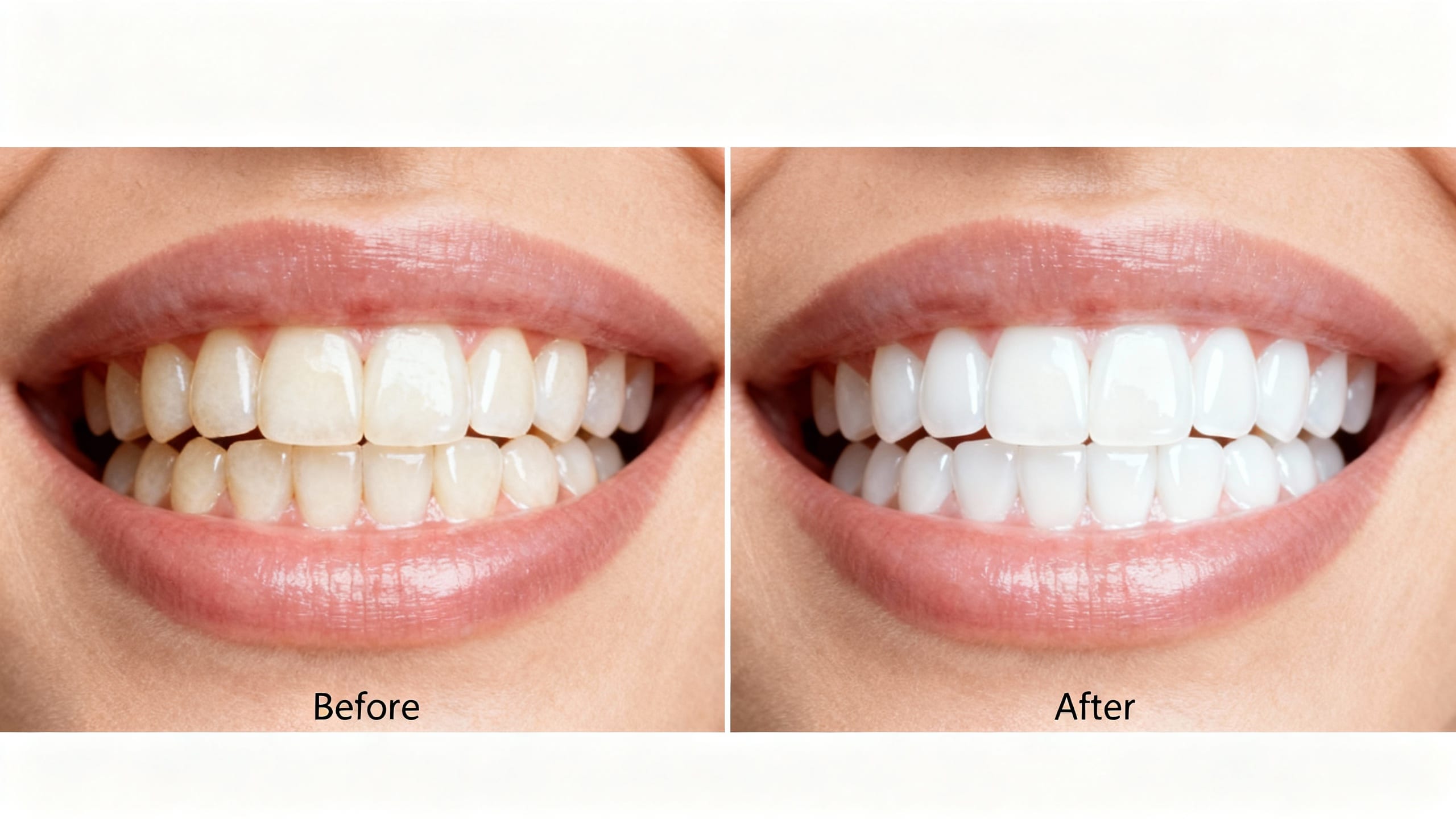
This is where AI photo editors have become a game-changer. Tools like ClearCrowds use advanced artificial intelligence to naturally whiten teeth in photos. Instead of a blanket white-out, AI intelligently identifies teeth, adjusts their color temperature and brightness, and then seamlessly blends the changes back into the image. This process ensures your smile looks authentically brighter, not artificially enhanced.
How Does AI Make Your Smile Brighter, Instantly?
The technology behind AI teeth whitening is surprisingly sophisticated, but the instruction still needs to be specific. A conservative edit starts by isolating the tooth area, reading the surrounding tones and lighting, then reducing the yellow cast without flattening tooth edges or changing the smile. Instead of asking for an overpolished smile, ask for a small color correction that keeps lips, gums, skin texture, and shadows stable.
Who Uses a Teeth Whitening Photo Editor, and Why?
The applications for a reliable teeth whitening photo editor extend far beyond just personal selfies.
- Everyday users: Boost confidence for social media posts, online dating profiles, or just sharing memories with friends and family. A brighter smile can make a huge difference in how you perceive yourself and how others perceive you online.
- Professionals: Think about LinkedIn headshots, company websites, or even real estate agents smiling in their listing photos. A polished, confident smile can enhance your professional presence. Models, influencers, and product photographers also use these tools for subtle, essential touch-ups.
- Content Creators: For anyone building a personal brand or producing visual content, consistency and polish are key. Ensuring every photo reflects your best self is made effortless with tools like ClearCrowds.
Whether it’s a professional headshot or a casual group photo, ClearCrowds ensures your smile always looks its best, quickly and effortlessly, without the need for any complex software knowledge.
For a work profile photo, set the camera, light, background, and crop first. The professional headshot at home guide covers that capture workflow before any optional smile edit.
Is It Hard to Use an AI Photo Editor for Teeth Whitening?
One of the biggest advantages of modern AI photo editors is their user-friendliness. Forget steep learning curves or hours spent watching tutorials. For example, with ClearCrowds, the process is incredibly straightforward:
- Upload your photo: Simply select the image from your device.
- Describe the edit narrowly: Ask for a slight teeth color correction while keeping the same smile and face.
- Review before export: Compare the result at normal size and zoomed in before saving.
The point is to avoid Photoshop-level manual brushing while still keeping control over the result. With ClearCrowds, a narrow prompt gives the editor a safer boundary than a broad beauty request.
Ready to Let Your Smile Shine?
Don't let a dull smile dim a great memory or impact your confidence in a photo. Modern AI photo editors are a true game-changer for quick, natural enhancements. They offer a fast, effective, and incredibly easy way to ensure your smile always looks its brightest, without needing to be a tech wizard. If you're looking for an instant confidence boost for your photos, exploring an AI-powered solution like ClearCrowds could be exactly what you need.