
Iron Out Your Photos: How to Banish Wrinkles from Clothes in Pictures
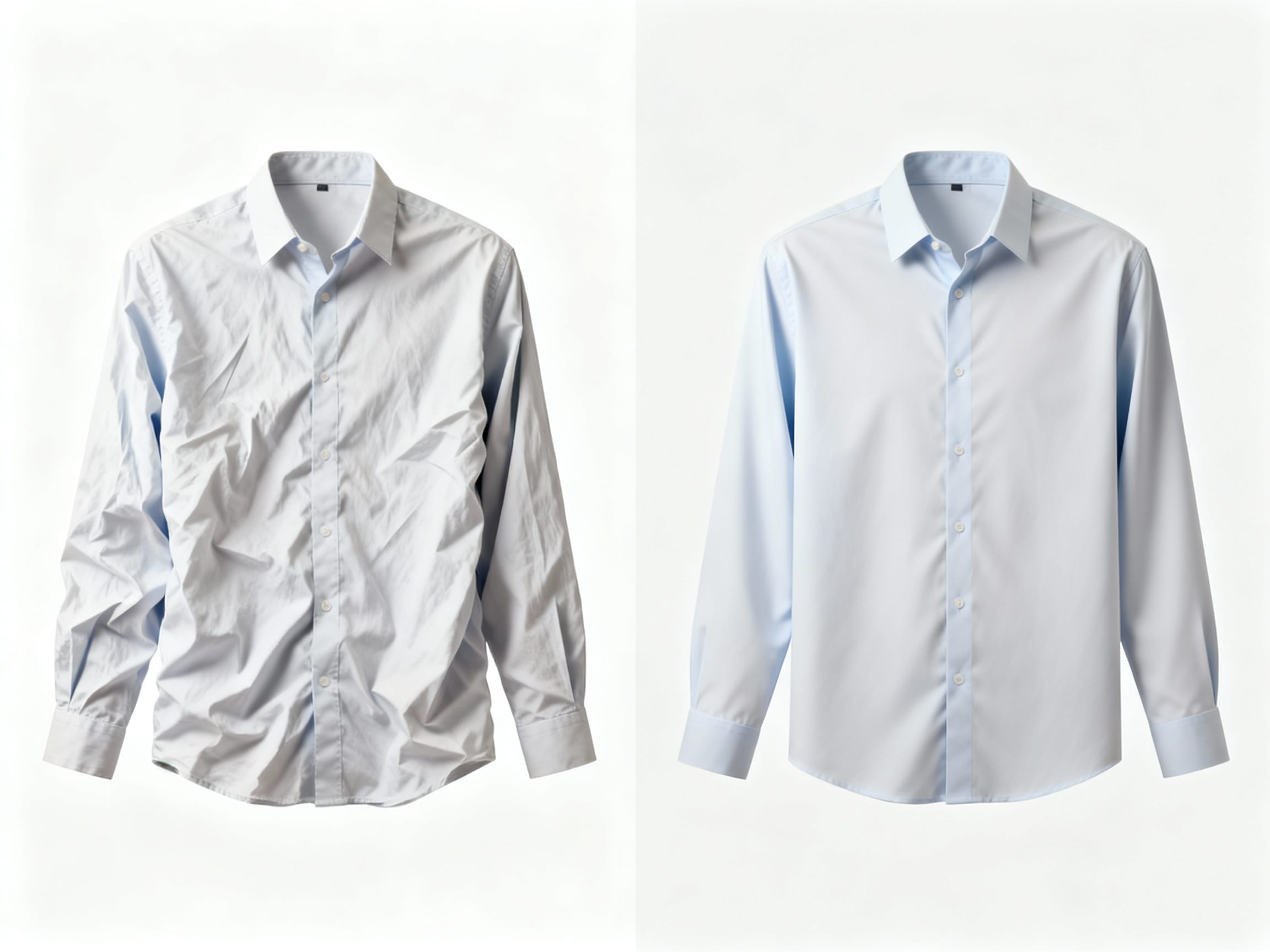
Ever snap the perfect shot, only to notice your favorite shirt looks like it just came out of a laundry basket? You're definitely not alone. It's a common photo frustration that can turn an otherwise stunning image into something less than ideal.
That Perfect Shot, But Oh, The Wrinkles!
We've all been there. The lighting is perfect, your pose is spot-on, and the background is just right. You review the photo, feeling pretty good about it, and then bam—a glaring wrinkle on your sleeve or a crease down your pant leg screams for attention. It's a silent photo killer that can detract from the overall quality of your images, whether they're for personal memories, social media, or even professional product listings.
When visuals are critical, like in e-commerce, these imperfections can subtly impact how your product is perceived. While specific statistics on wrinkle-free clothing directly impacting conversion rates aren't readily available, the general consensus in e-commerce is that professional and appealing visuals significantly influence consumer perception and purchasing decisions.
Why Do My Clothes Look So Wrinkled in Pictures, Anyway?
It’s not always your fault! A few common culprits make wrinkles more prominent in photos than they might appear in real life. Fabric type plays a huge role; linen and cotton are notorious for wrinkling, while synthetics might hold up better. Harsh lighting can cast shadows that emphasize every crease. Even the angle you shoot from can highlight imperfections. Sometimes, it feels like the camera has a magnifying glass for wrinkles!
Can You Really "Iron" Clothes in a Photo Without Complex Software?
Absolutely! The good news is that you absolutely can "iron" clothes in a photo without needing to be a Photoshop wizard. The myth that digital wrinkle removal always requires advanced photo editing skills is just that—a myth. Thanks to advancements in technology, particularly AI, dedicated online tools have emerged that make this process incredibly accessible and straightforward.
These tools are designed for quick fixes, allowing you to clean up your images with just a few taps or clicks. So, if you've got a fantastic photo marred by a crumpled shirt, don't despair—a digital makeover is often just moments away.
How Do Online Tools Fix Wrinkled Clothes in Pictures?
Many online tools leverage sophisticated AI-powered object recognition and content-aware fill technologies. Think of it like this: the tool identifies the wrinkle as an unwanted "object" or imperfection. Then, using smart algorithms, it analyzes the surrounding pixels and intelligently rebuilds the background or fabric texture, making it appear as if the wrinkle was never there. It's not just blurring; it's reconstructing.
This is where tools like ClearCrowds really shine. While ClearCrowds is known for removing crowds, photobombers, and other large distractions, its "smart fill" feature is incredibly versatile. It doesn't just cut out distractions; it intelligently rebuilds the surrounding area with natural detail. This means it can effectively "smooth over" creases and wrinkles, blending them seamlessly with the rest of the fabric. You get professional, artifact-free results without needing any advanced Photoshop skills. It's perfect for quickly cleaning up those pesky fabric imperfections.
Which Online Tools Are Best for Wrinkle Removal (and Are They Free)?
When it comes to online wrinkle removal, you'll find a spectrum of tools. Some offer basic, free functionality, perfect for minor touch-ups. These might include simple cloning or healing brush tools found in general photo editors. Then there are freemium models, which give you some features for free but unlock more powerful capabilities or higher resolution exports with a subscription. And finally, there are more robust paid professional tools.
For quick, easy, and often free solutions, look for tools that emphasize "object removal" or "spot healing." Many popular online photo editors now include some form of smart removal. The key is finding one that offers content-aware filling, which will give you the most natural results without leaving behind blurry patches or obvious edits.
Quick Steps to Make Your Clothes Look Press-Ready in Any Photo
Ready to get those clothes looking pristine? Here’s a simple, step-by-step guide using a typical online tool:
- Upload Your Photo: Head to your chosen online photo editor and upload the image with the wrinkled clothing.
- Locate the Tool: Look for a feature often called "Remove Object," "Spot Healing," "Clone Stamp," or "Content-Aware Fill."
- Highlight the Wrinkle: Use your mouse or finger (on mobile) to gently brush over the wrinkle or draw a selection around it. Don't worry about being perfectly precise; the AI often does the heavy lifting.
- Process and Review: The tool will then work its magic, typically within seconds. Review the result. If you're not happy, most tools have an "undo" button to try again.
- Refine (if needed): For stubborn wrinkles, you might need to repeat the process in smaller sections or adjust the brush size.
- Download: Once satisfied, download your newly smoothed-out image!
It's surprisingly easy, and the results can be really impressive.

Beyond Wrinkles: What Else Can These Photo Cleanup Tools Do?
The power of these object removal and smart fill tools extends far beyond just banishing wrinkles. Think about all the other little imperfections that can sneak into your photos: a stray hair on someone's shoulder, a piece of lint, a tiny dust particle on the lens, or even small blemishes on skin. The same technology that smooths out fabric can often handle these minor distractions. Many tools can also remove unwanted signs, wires, or even photobombers, making your main subject truly shine.
Polish Your Pictures, Impress Your Audience
Whether you're curating your personal Instagram feed, creating product listings for your online store, or simply preserving cherished memories, clean and polished photos make a huge difference. They convey professionalism, attention to detail, and a commitment to quality. The ease and accessibility of online tools mean you no longer need expensive software or a steep learning curve to achieve studio-grade results. So, next time a wrinkle tries to ruin your perfect shot, remember that a quick digital "ironing" is all it takes to elevate your images and present your best visual self. Give an online tool a try and see the transformation for yourself!