
Start with the silhouette
Upload a full-body drawing with the feet visible. A neutral stance makes the shape of the hair, coat and boots easier to compare.
Turn one character drawing into a turnaround sheet. Compare the front, side and back at the same scale, then refine the details that change between views.
Your sheet starts generating as soon as your drawing uploads.
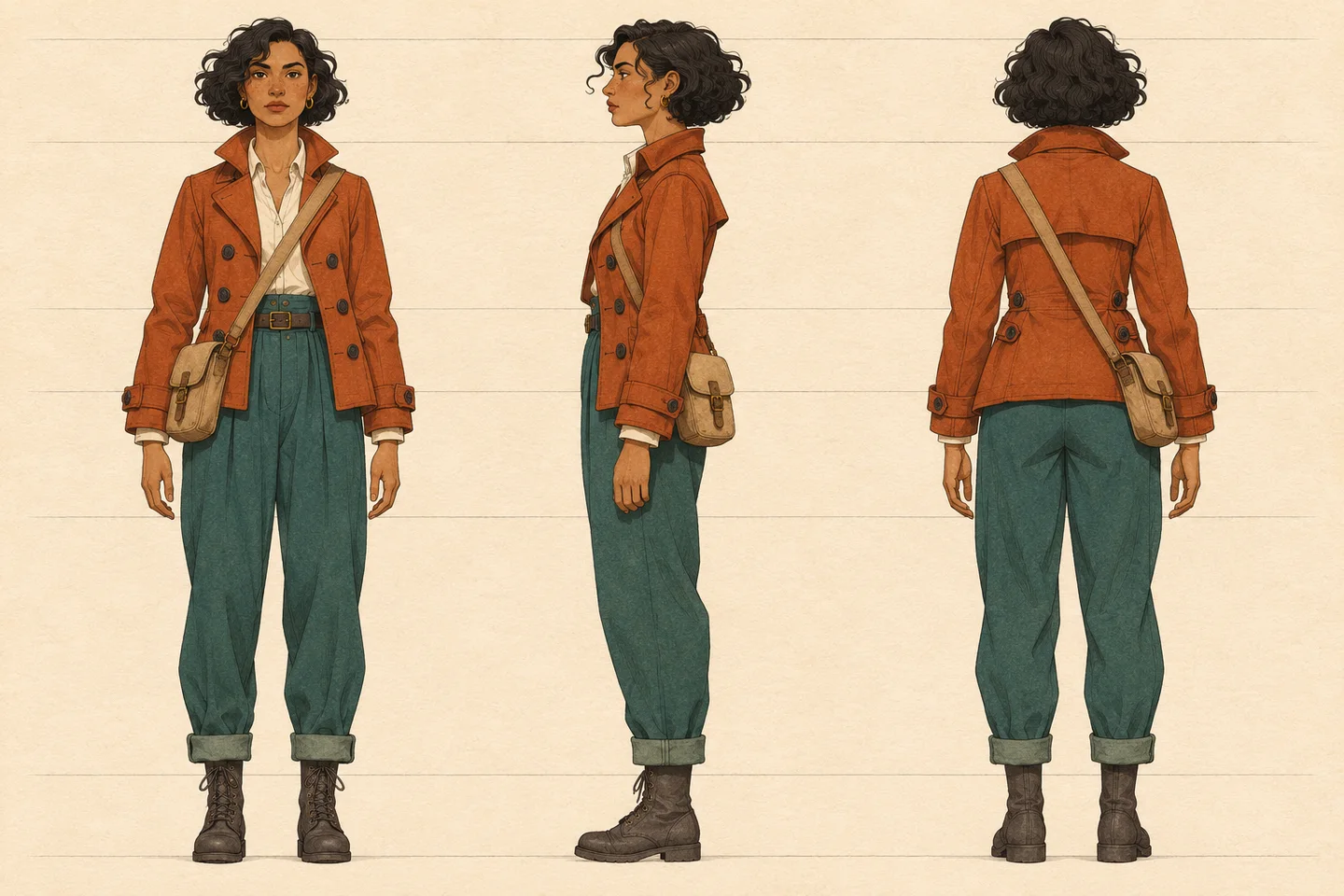
Upload a full-body drawing with the feet visible. A neutral stance makes the shape of the hair, coat and boots easier to compare.
Trace a line across the shoulders, belt and soles. These landmarks should sit at the same height in the front, profile and rear views.
A front view cannot show a jacket’s back seam or where a strap ends. Once the sheet is ready, describe those details in the editor to refine the back view.
It shows one character rotating through a set of views while pose and scale stay consistent. Artists use it to check proportions for animation, comics and 3D modeling.
Yes. The starting layout asks for front, side and back views. After generation, ask for a three-quarter view or specify which side of an asymmetric outfit should face the viewer.