
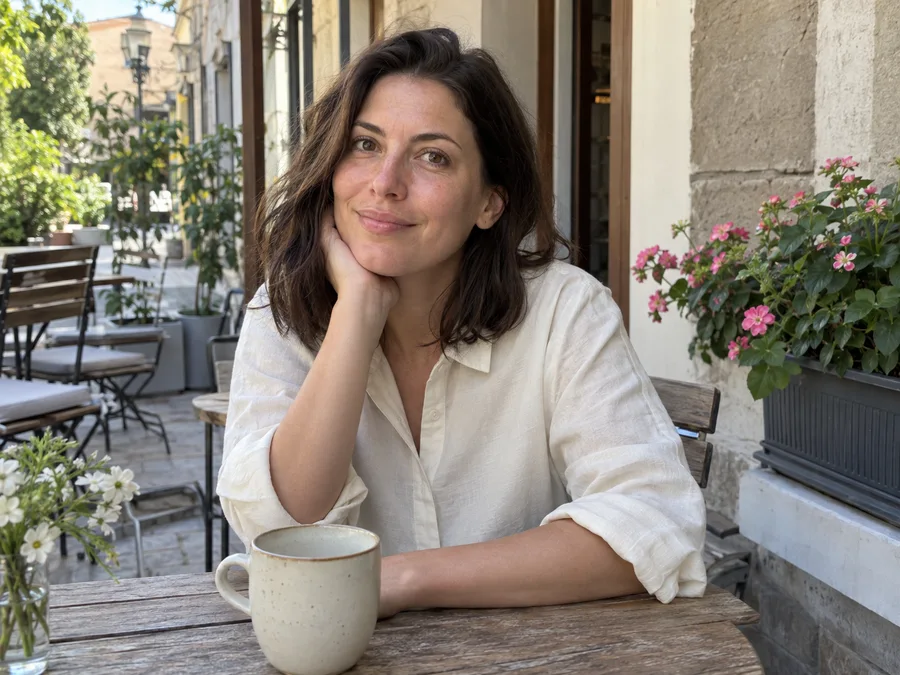
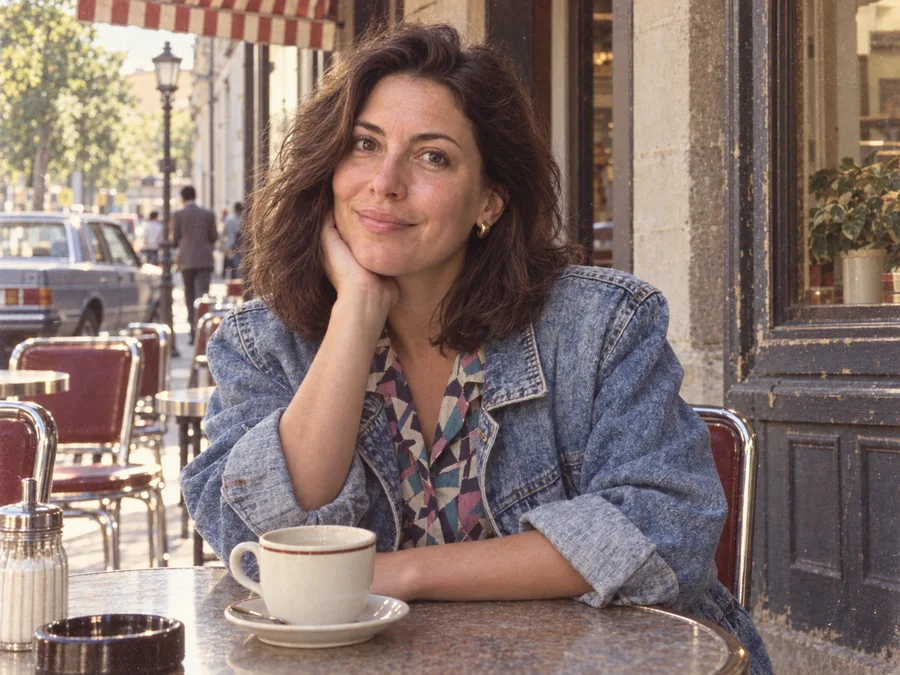
Turn your photo into an 1980s scene
ClearCrowds’ 1980s style transforms the clothes and surroundings in your photo into a believable 80s scene while aiming to preserve each person’s facial identity. Period outfits, street details, furnishings and accessories create the time-travel effect; warm film color and grain finish the image. Upload your existing photo and choose 1980s style under Filter.
A 1980s photo prompt you can copy
“Reimagine this photo as a realistic photograph taken in the 1980s. Change clothing and accessories to authentic everyday 80s fashion. Restyle visible streets, cars, storefronts and interiors with coherent period details. Replace modern devices with period equivalents. Preserve the same faces, ages, expressions, poses, camera angle and framing. Add subtle 35mm film grain and warm faded color. No captions, date stamps, logos or borders.”
Give the editor a clear reference photo. Facial features should remain recognizable while the outfit and environment visibly change. A wider portrait with some street or room context gives the effect more space to work than a tightly cropped face.
How to apply 1980s style
- Upload a portrait, travel photo or everyday scene with clear facial detail.
- Open Filter and choose 1980s style. No prompt entry is required.
- Compare faces, clothing and surroundings with the original before confirming and downloading.
The transformation adapts to visible content. A cafe portrait can gain period clothing, furniture and street details; an indoor photo can gain period decor. It should keep the people and overall composition recognizable. AI may change fine details, so check every face, hand and important object before saving.
Choose your retro effect
| Your goal | What to choose |
|---|---|
| Change clothing and surroundings into an 80s scene | 1980s style |
| Create decorative paper layers and a collage layout | Vintage Poster |
| Improve a blurry source before restyling it | Unblur Image |
Questions about ChatGPT 80s photo prompts
What does “1980 prompt chatgpt” mean?
This search expression usually refers to a prompt for an 80s-inspired photo transformation. Describe period clothing, the surrounding scene and photographic texture, then explicitly ask to preserve facial identity. The copyable example above is a starting point.
Can I use this as a ChatGPT 80s photo prompt?
You can copy the example into an image editor that accepts a reference photo. Results vary by service. ClearCrowds applies its configured instructions directly; this page is not an official ChatGPT product.
Will clothing and the street change?
Yes. Clothing, accessories, visible street details and interiors are part of the transformation. Hairstyling can gain subtle period volume. Facial features, age, expression, pose and framing are the details the instructions ask to preserve.
Will I still look like myself?
The prompt prioritizes your facial identity and does not request a different face or age. Generative editing can still alter small details, especially in unclear or tiny faces. Use a clear source and review the before-and-after comparison.
Is this a historical reconstruction?
It is an imaginative 1980s-inspired edit, not evidence of what a particular place or person looked like then. It does not guarantee historically exact objects or recover lost photographic detail.