
How to Remove Clutter From Real Estate Photos Without Misleading Buyers
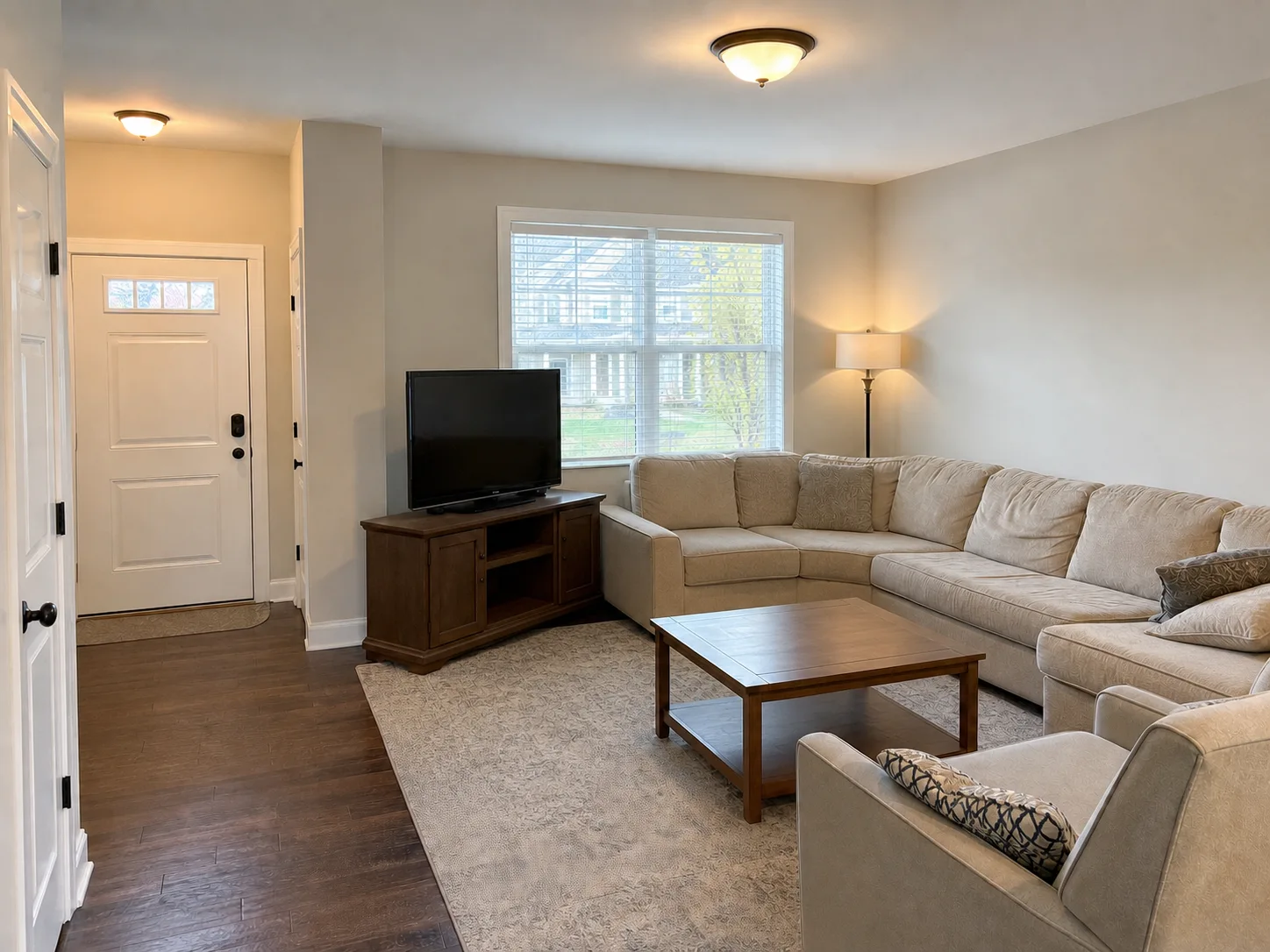
Clean moving boxes from one listing photo
Upload a room photo and start with a tool built for boxes, cords, bags, and temporary listing clutter.
View tool details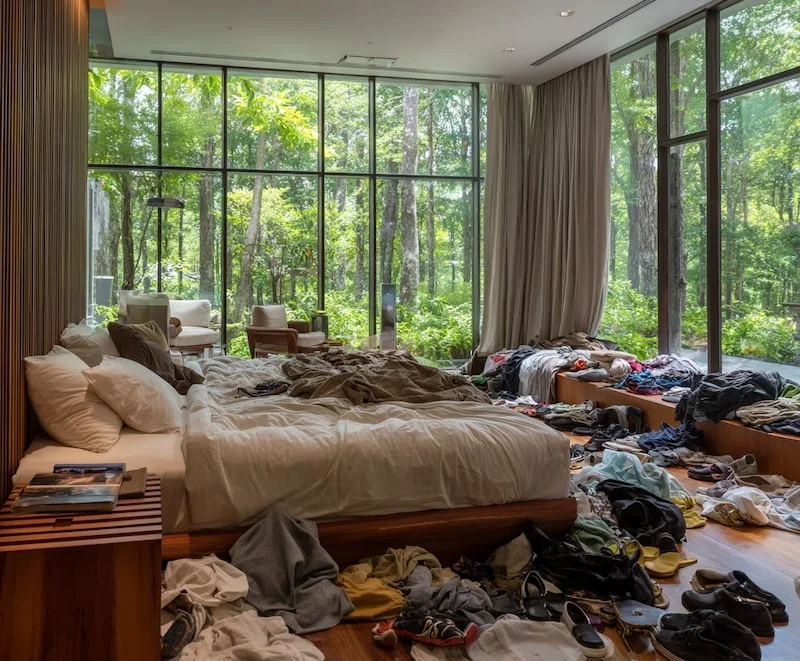
Direct answer
You can remove clutter from real estate photos when the clutter is temporary and the final image still represents the same property a buyer, renter or guest will see. Good cleanup targets include moving boxes, cords, packing paper, laundry baskets, bathroom bottles, toys, loose bags, small personal items and other visual distractions that would normally be removed before a showing.
Do not use AI cleanup to hide damage, stains, bad flooring, blocked windows, missing fixtures, structural problems, safety hazards, room limitations or anything that would affect a buyer's decision. If the clutter hides a real issue, move it and reshoot.
Use the workflow to remove temporary boxes and room clutter from a listing photo, or open the Room Declutter preset when the job is one room photo with boxes, cords, bags, messy bedding or small temporary clutter.
Remove clutter from one listing photo
- Listing-safe cleanup
- Before-and-after revi…
- Room lines preserved
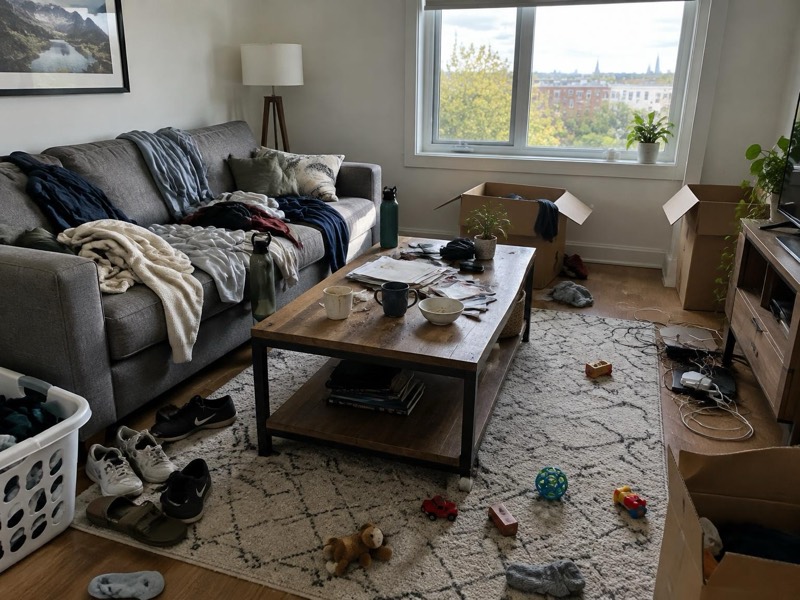
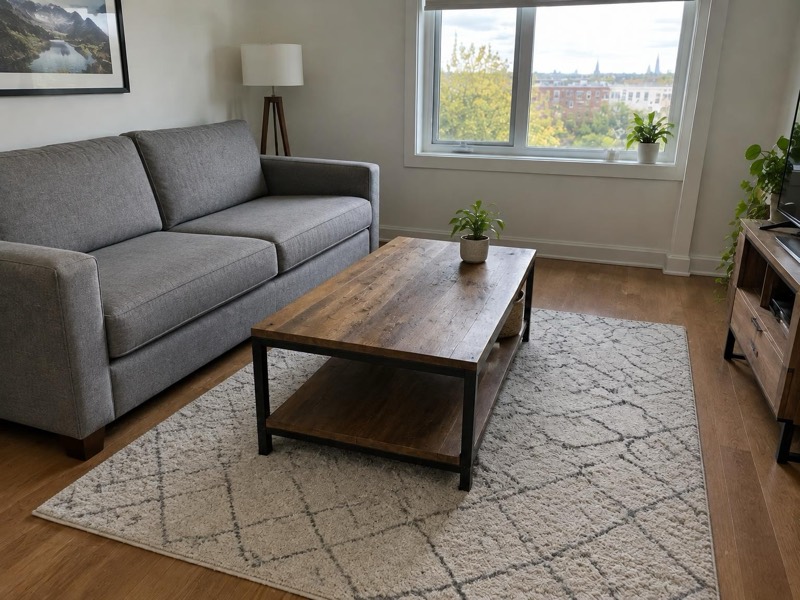
Upload a room photo and start with a tool built for boxes, cords, bags, bedding mess and temporary listing clutter.
Key takeaways
- Removing temporary clutter is usually acceptable when the room facts stay visible.
- The edit should make the room easier to read, not make the property look better than it is.
- Moving boxes are only one case; the broader job is listing-safe room declutter.
- Small selections work better than painting over half the room.
- Save the original image and compare before publishing.
Table of contents
- What counts as temporary listing clutter?
- When AI clutter removal works best
- What you should not remove
- Moving boxes as one cleanup case
- A safe workflow for listing photos
- AI cleanup vs staging and reshooting
- Review checklist
- Prompt examples
- Frequently asked questions
What counts as temporary listing clutter?
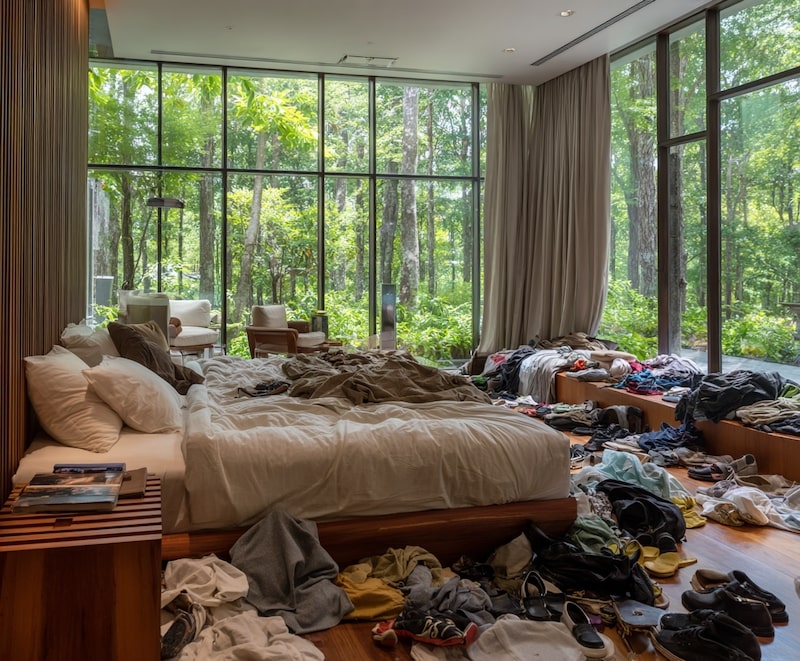
Temporary listing clutter means objects that are present because the home is being packed, cleaned, lived in, staged or photographed in a hurry, and that will not be part of the property condition after normal preparation.
That includes:
- Moving boxes, tape, packing paper and storage bins.
- Cords, chargers, small appliances and loose electronics.
- Laundry, shoes, bags, backpacks and personal items.
- Bathroom bottles, towels, toiletries and countertop clutter.
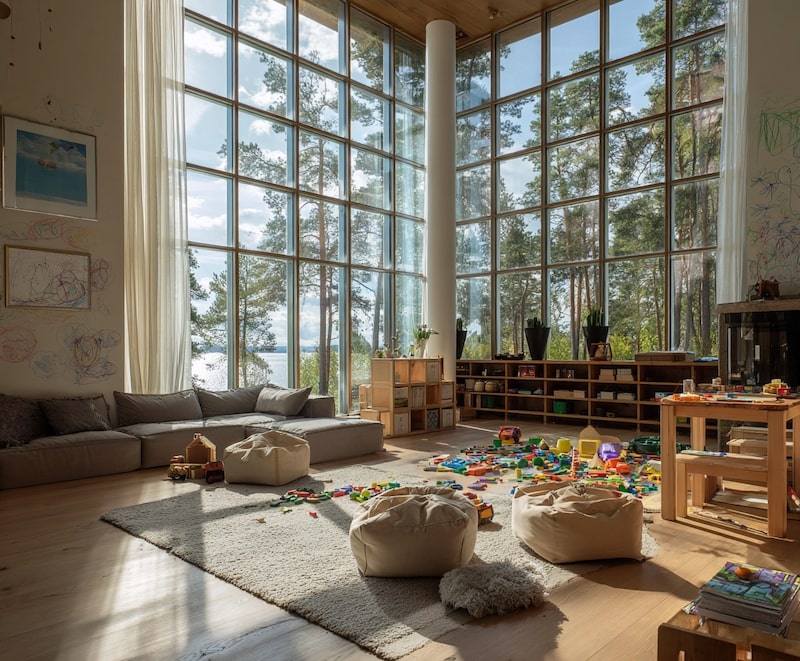
- Toys, pet items, trash bins and cleaning supplies.
- Messy bedding, pillows, blankets and small staging distractions.
The point is not to make the property look like a different property. The point is to help the viewer read light, layout, room size, flooring, walls, windows and furniture fit without visual noise.
When AI clutter removal works best
AI cleanup works best when the clutter sits on simple, repeatable background areas: a plain wall, hardwood floor, carpet, bedding, tile, countertop or simple corner. It is harder when clutter covers detailed furniture legs, patterned rugs, window frames, mirrors, stair rails, vents or built-in cabinetry.
| Clutter location | First-pass choice | Risk level |
|---|---|---|
| Against a plain wall | AI room declutter | Low |
| On carpet or simple flooring | AI room declutter with close review | Low to medium |
| On a bathroom or kitchen counter | AI cleanup with edge check | Low to medium |
| Covering baseboards, vents, outlets or furniture legs | Smaller AI selections | Medium |
| In front of windows, mirrors, railings or tile patterns | Manual edit or reshoot | High |
| Hiding stains, cracks, damage or safety hazards | Do not remove | High |
Here is where people mess this up: they select the entire corner because it feels faster. That gives the model permission to rebuild wall lines, floor seams, shadows and furniture edges. Select the clutter, not the whole room.

What you should not remove
Do not remove anything that changes the property facts.
Keep these visible:
- Wall cracks, water stains, mold marks, floor damage, broken blinds, loose railings or missing fixtures.
- Permanent furniture, built-ins, appliances, doors, windows, outlets, vents, stairs, cabinets and room layout.
- Safety issues such as exposed wiring, blocked exits, low railings or trip hazards that will still exist.
- Views, neighborhood context, required notices, access limits or anything the buyer has a right to know.
- Large shadows, room size cues or lighting issues that materially affect how the space reads.
If a personal item contains private information, crop, blur or remove only that private detail when appropriate. Do not use privacy cleanup as a reason to hide room condition.
Moving boxes as one cleanup case
Moving boxes are a common real estate photo clutter problem, but they are too narrow to be the whole strategy. Treat them as one example inside the broader room declutter workflow.
Removing boxes is usually fine when:
- They are temporary and would be gone before a showing.
- They are not hiding damage or missing fixtures.
- They sit on a simple wall, floor or corner.
- The edit does not change room size, flooring, baseboards, outlets or furniture placement.
Removing boxes is risky when:
- They cover damaged flooring, stains, cracks or trim.
- They sit across mirrors, windows, railings, tile or detailed furniture.
- The room is still full of packed items.
- The final image would make the property feel staged when it is not.
If the room is mostly boxes, move them and reshoot. That is usually faster and safer than asking AI to invent half a room.
A safe workflow for listing photos
Use a narrow process:
- Start from the original camera file, not a compressed screenshot.
- Save one untouched copy.
- Straighten and crop lightly before cleanup.
- Identify which objects are temporary clutter.
- Select one clutter cluster at a time.
- Generate a cleanup pass.
- Check the wall, floor, baseboard, shadows and room geometry at full size.
- Compare with the original.
- Publish only if the room still matches what a buyer would see.
For a broad real estate editing policy, read Real Estate Photo Cleanup with AI. For costs and service decisions, read Real Estate Digital Decluttering Services: AI Tool vs Human Editor. For rental listing situations, the Airbnb-specific guide explains the guest-expectation side: Declutter a Messy Airbnb Photo Without Misleading Guests.
AI cleanup vs staging and reshooting
AI cleanup is not a replacement for a room that is not ready. It is a shortcut for small, temporary distractions.
| Situation | Better move | Why |
|---|---|---|
| Three boxes near a blank wall | AI cleanup | Temporary and contained |
| Tape, paper and bags on the floor | AI cleanup | Usually small removable clutter |
| Bathroom bottles on a counter | AI cleanup | Common low-risk distraction |
| Messy bedding | AI cleanup, then close review | Fabric can look natural but needs checking |
| Boxes covering half the living room | Stage and reshoot | Large fills look fake and risky |
| Clutter hiding damaged flooring | Fix, disclose or reshoot | The damage matters |
| Bad angle, poor lighting or distorted room size | Reshoot | Cleanup cannot fix misleading composition |
If the listing deadline is close, a small AI cleanup pass can save one useful image. If the room is still visually overloaded, take five minutes to move the objects and reshoot. That is faster than repairing a broken-looking AI edit.
Review checklist
Before publishing, zoom to 100% and check:
- Do the baseboards and floor lines continue naturally?
- Did wall texture become cloudy or repeated?
- Are shadows still believable?
- Did furniture legs, rugs, vents, outlets or trim get warped?
- Does the cleaned room still match the actual showing condition?
- Would a buyer, renter or guest feel misled if they saw the original?
For general object removal limits, read Remove Object From Photo Online. If a person appears in the listing photo, use the more specific Remove People From Photo Online guide.

Prompt examples
Use literal prompts:
Remove only the selected temporary clutter, including boxes, cords, bags and small personal items. Keep the room layout, wall lines, baseboards, flooring, furniture, windows, shadows, lighting and property condition unchanged.
For a smaller corner:
Clean the selected clutter from the corner. Rebuild the plain wall and floor texture naturally. Do not change the room size, floor material, baseboards, outlets, furniture or lighting.
For bedding:
Tidy the selected bedding clutter while keeping the bed size, frame, walls, window, lighting and room layout unchanged.
Avoid broad prompts like:
Make this listing photo look luxury.
That can push the edit toward virtual staging, lighting changes, furniture replacement or a different room. For buyer-facing images, boring and accurate beats impressive and suspicious.
How this fits with ClearCrowds
ClearCrowds works best when the editing goal is specific: remove this box cluster, clean this counter, remove this cable, tidy this bedding, or hide this temporary distraction. Start with Room Declutter for room photos. You can review the full listing-photo cleanup workflow when you want broader guidance and related use cases.
If the image needs a broader product, travel or social cleanup workflow, the AI photo editor comparison explains how to choose between cleanup presets, manual prompts and slower editing tools.
Frequently asked questions
Can I remove clutter from a real estate listing photo?
Yes, when the clutter is temporary and the final photo still represents the property accurately. Keep the edit small and avoid hiding damage, layout problems, missing fixtures, views or safety issues. If clutter covers something important, move it and reshoot instead.
What kind of clutter is safe to remove?
Temporary items such as moving boxes, cords, bags, toys, laundry, bathroom bottles, packing paper, cleaning supplies and small personal items are usually reasonable cleanup targets when they do not hide property facts.
Should I remove moving boxes before selling a house?
You can remove moving boxes from the photo when they are temporary and not hiding defects. If boxes cover damaged flooring, stains, cracks, missing trim or other material details, move them and reshoot instead.
Should I disclose AI cleanup on a listing?
Rules vary by market, brokerage and platform. A conservative rule is to disclose or avoid edits that could affect a buyer's decision. For simple temporary clutter removal, many teams treat it like standard photo cleanup, but you should follow local listing rules and brokerage policy.
Is Photoshop better than AI for real estate clutter removal?
Photoshop or a human editor is better when clutter crosses complex edges or important details. AI is faster for small isolated clutter on simple backgrounds. If the room photo is important and the edit is difficult, a reshoot is often the cleanest answer.
Summary
Removing clutter from real estate photos is a useful AI cleanup task when the clutter is temporary, the selection is small and the room facts stay visible. Moving boxes are one common case, but the broader job is listing-safe room declutter. The best edited listing photo looks like the same property, just without temporary mess getting in the way.