
Real Estate Digital Decluttering Services: AI Tool vs Human Editor


Direct answer
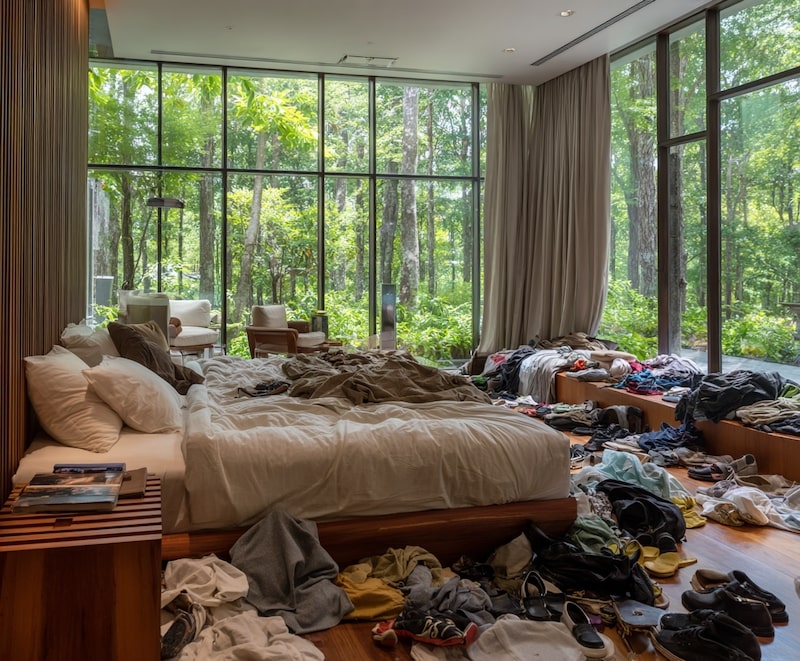
The best real estate digital decluttering service is not always a service. Use an AI real estate photo declutter tool for small, temporary clutter like boxes, cords, bottles, bags, toys, bedding mess, and personal items. Use a human real estate photo editor when the image has complex edges, reflections, mirrors, tile, furniture legs, damaged backgrounds, or a high-value listing that needs careful manual QA.
Reshoot the room when the clutter hides damage, changes buyer expectations, or forces the editor to rebuild too much of the property. A clean listing image should make the room easier to read, not make the property look different.
Start by previewing AI listing-photo cleanup before hiring an editor if you want a browser workflow, or open the Room Declutter preset for one room photo.
Try AI real estate photo declutter first
- Free to try
- Before-and-after prev…
- Listing-safe review
Upload a cluttered room photo, preview a before-and-after cleanup, and decide whether AI is enough before you pay for manual editing.
Key takeaways
- AI is best for contained temporary clutter on simple backgrounds.
- Human editors are better for complex geometry, mirrors, windows, tile, trim, premium batches, and final QA.
- Reshooting is safer when cleanup would hide property facts or require large reconstruction.
- Real estate digital decluttering services cost depends on image complexity, turnaround, volume, and revision needs.
- The safest workflow is AI first, human review for hard images, and reshoot for anything that changes buyer expectations.
AI vs human editor vs reshoot
| Option | Best for | Typical cost shape | Turnaround | Main risk |
|---|---|---|---|---|
| AI real estate photo declutter | Boxes, cords, bottles, bags, toys, bedding mess, small personal items | Free to try, then paid export or membership options for heavier use | Browser preview workflow | Over-editing if the selection is too broad |
| Human image decluttering service | Complex edges, mirrors, windows, tile, furniture legs, premium listings | Usually per image or per batch | Same day to several business days | Cost and revision queue |
| Stage and reshoot | Heavy clutter, poor angle, bad lighting, hidden defects | On-site time and scheduling | Fast when access is easy | Operational delay |
The practical answer is to triage photos before sending everything to a manual editor. If twenty images only need three tiny cleanup passes, AI can remove the repetitive work. If three hero images carry the listing, use human QA after the AI pass or send them straight to an editor.
When AI digital decluttering works best
AI works well when the object is temporary and the background is understandable. A cardboard box against a plain wall, a cable on hardwood, bottles on a bathroom counter, or laundry on simple bedding are good candidates.
The edit gets harder when clutter crosses important details:
- Furniture legs
- Tile patterns
- Mirror reflections
- Window frames
- Stair rails
- Vents, outlets, trim, and baseboards
- Damaged walls or flooring
For those photos, AI can still help with a first pass, but the result needs closer review. The goal is a clean room photo that still looks like the same room.

What real estate digital decluttering should not do
Digital decluttering should remove visual distractions, not property facts.
Do not use AI or a service to hide:
- Water stains, mold, cracks, damaged flooring, broken fixtures, or missing trim.
- Permanent appliances, windows, doors, cabinets, built-ins, vents, outlets, stairs, or room layout.
- Views, neighborhood context, access limits, safety hazards, or required notices.
- Anything a buyer, renter, broker, MLS reviewer, or guest would reasonably expect to see.
If the clutter hides a real problem, move the object and reshoot. If the room is not ready for photos, clean the room first. AI is not a shortcut for disclosure.
How much do real estate decluttering services cost?
There is no universal price because providers quote by complexity, volume, turnaround, and revision policy. A simple object removal job costs less than a hero image with reflections, furniture legs, patterned rugs, or damaged backgrounds.
Use this decision rule:
| Photo problem | Start with | Why |
|---|---|---|
| A few boxes near a wall | AI declutter | Fast and contained |
| Bathroom counter bottles | AI declutter | Repetitive and low risk |
| Messy bedding | AI room declutter, then review | Fabric can be rebuilt cleanly, but folds need checking |
| Window glare plus clutter | Human editor | Multiple technical problems |
| Clutter covering damaged floor | Reshoot or disclose | The hidden detail matters |
| Full room packed with items | Stage and reshoot | Large AI fills can look fake |
This is why a free real estate photo declutter AI can be useful even when you still work with a professional editor. It helps you separate easy cleanup from images that deserve manual budget.
A listing-safe workflow
- Keep the original photo.
- Decide whether the issue is temporary clutter, image quality, or a property fact.
- Use AI for small contained clutter.
- Compare before and after at full size.
- Check walls, floors, trim, shadows, furniture lines, windows, and fixtures.
- Send complex images to a human editor.
- Reshoot if the edit changes what buyers or guests would understand.
For a broader policy guide, read Real Estate Photo Cleanup with AI. If your specific problem is a room full of temporary objects, use the broader guide on removing clutter from real estate photos.
Best use cases for ClearCrowds
ClearCrowds is strongest when the prompt is concrete:
- Remove the boxes from the corner.
- Clean the bathroom counter bottles.
- Remove cords near the baseboard.
- Clean bedding clutter without changing the bed.
- Remove personal items from a rental room.
- Clean small Airbnb photo clutter before publishing.
You can also upload a listing photo for a before-and-after declutter review. Use the Room Declutter preset when you want to start directly from one image.
FAQ
How much do real estate digital decluttering services cost?
Costs vary by provider, complexity and volume. Human services are usually priced per image or batch. AI tools like ClearCrowds are free to try and work best for small temporary clutter before you pay for complex manual edits.
What is the best real estate digital decluttering service?
The best option depends on the image. Use AI for small temporary clutter, use a human editor for complex edges and premium listings, and reshoot when the photo would otherwise mislead buyers.
Is there a free real estate photo declutter AI?
ClearCrowds lets you try AI real estate photo declutter in the browser. Export limits and membership options can apply for heavier use.
Is digital decluttering allowed for MLS photos?
Rules vary by MLS, market and brokerage. A conservative rule is to remove only temporary visual clutter and keep property condition, layout, fixtures, views and defects visible.
Summary
Real estate digital decluttering services are most useful when you choose the right tool for the image. Start with AI for small temporary clutter, use human editing for hard or premium photos, and reshoot when the cleanup would change buyer expectations. The best result looks like the same room, just easier to understand.