
Snapchat Filter Remover: What You Can and Cannot Recover
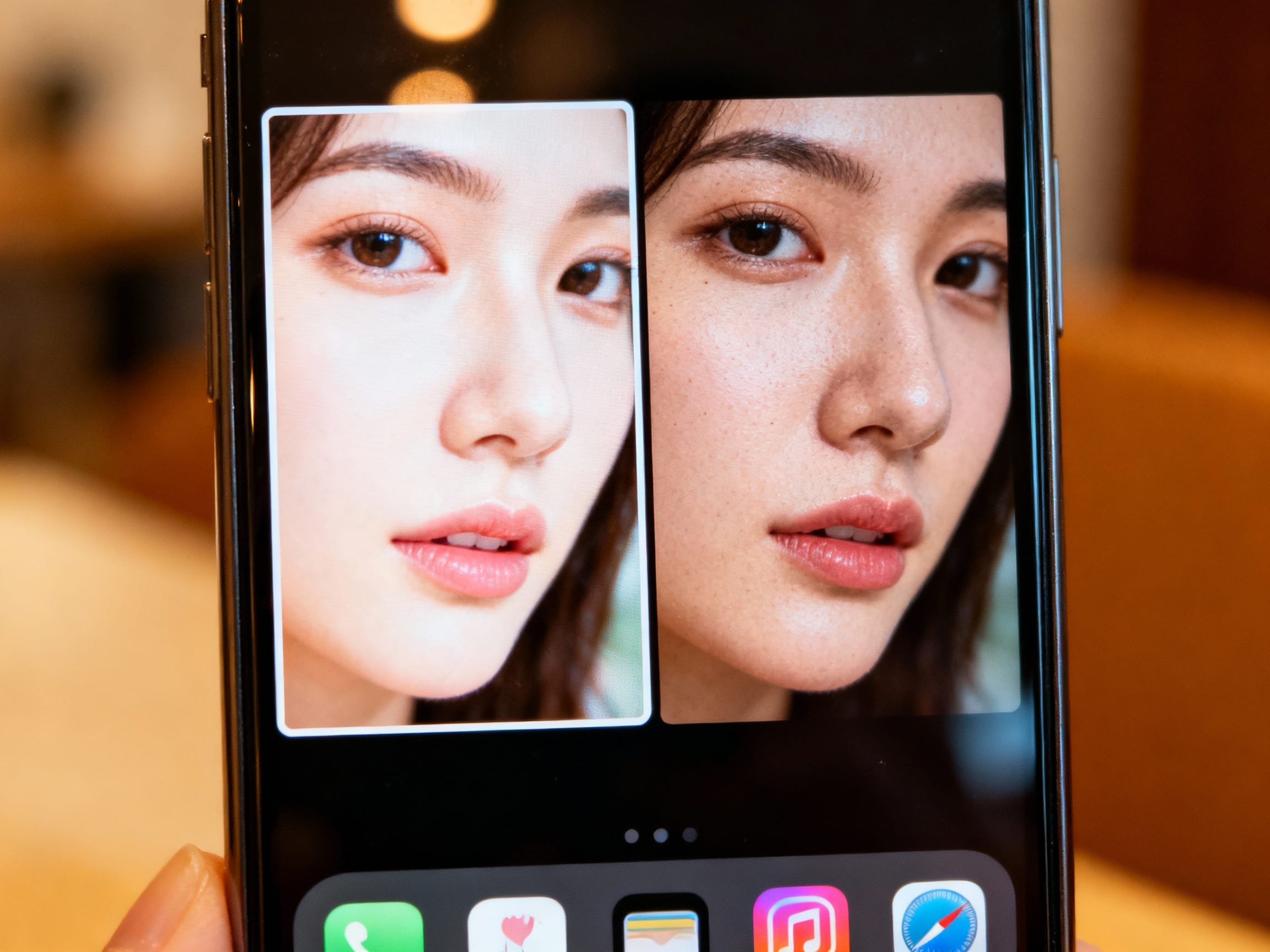
Ever taken the perfect photo, only to realize later it's buried under a filter that just doesn't quite fit anymore? Maybe it was a trending Snapchat filter that felt fun at the moment, but now you wish you could see the original, unadorned memory. It's a common feeling, this "filter remorse," especially when our tastes change or we simply want to appreciate the authentic moment.
Can You Really Take Off a Snapchat Filter From a Saved Photo?
Yes, you absolutely can, but it definitely depends on how the photo was initially saved. If you saved the original photo before applying the filter, you're in luck! You still have the pristine version. However, most of us save the filtered version directly from Snapchat, which makes things a bit trickier. Once a filter is "baked in" to a saved image, Snapchat itself doesn't offer an "undo" button for that specific filter. But don't fret; there are still powerful ways to reclaim your photo's original look!
What Are the Best Ways to Undo Filters?
When Snapchat's in-app options are exhausted, it's time to look at external tools.
Leveraging AI and Smart Editing Tools (The Best Way)
This is where modern technology shines. Specialized photo editing tools, especially those powered by Artificial Intelligence, can perform near-miracles. They analyze the filtered image and intelligently reconstruct what the original scene likely looked like.
For instance, tools like ClearCrowds are incredibly adept at this. While primarily known for removing crowds and objects, its underlying "smart fill" technology that rebuilds backgrounds with natural detail can be repurposed for "un-filtering" an image. Think of a filter as a kind of "digital clutter" or an unwanted layer. ClearCrowds can intelligently analyze the surrounding pixels and effectively "remove" that filter, filling in the areas it covered with what it estimates the original photo would have shown. It gives you natural, professional results without needing any complex Photoshop skills, often with just "one-tap" convenience.
Manual Editing (For the Tech-Savvy)
For those with advanced photo editing skills, software like Adobe Photoshop can be used. This involves a lot of manual color correction, tone adjustments, and potentially using tools like the clone stamp or healing brush to meticulously reverse the filter's effects. It's powerful, but it requires a significant learning curve and a lot of time.
Why Do We Even Need to Remove Filters Anyway? (The Bigger Picture)
The desire to remove filters goes beyond just a momentary "oops." There's a growing trend towards authenticity online. Many people are moving away from heavily processed images, preferring to showcase their genuine selves or the true beauty of a moment. Unfiltered photos often:
- Boost Authenticity: They present a more honest and relatable image, whether for personal use or professional branding.
- Preserve Memories: Filters can sometimes distract from the core memory. Removing them helps you see the moment as it truly happened.
- Professional Use: For product listings, real estate, or e-commerce, accurate, unfiltered images are crucial for consumer trust. ClearCrowds, with its ability to give you "clean photos, stronger visuals, and more polished moments," aligns perfectly with this need for clarity and accuracy in professional contexts.

Choosing the Right "Filter Remover": What to Look For
When picking a tool to help you un-filter your photos, consider these factors:
- Ease of Use: Do you want a one-tap solution or are you comfortable with sliders and detailed adjustments?
- Quality of Results: Does the tool introduce artifacts or does it create a smooth, natural-looking un-filtered image?
- Accessibility: Is it an online tool, a mobile app, or desktop software?
- Cost: Are you looking for a free solution or are you willing to invest in a paid tool for higher quality?
Your Photos, Unfiltered and Unforgettable
The good news is that you're no longer stuck with a filter you've outgrown. With the right tools, especially AI-powered solutions that can intelligently "un-filter" your images, you can reclaim your photos and bring back their original, authentic charm. Experiment with options like ClearCrowds to see how easily you can transform your filtered memories into clean, powerful visuals that truly shine.