Direct answer
What is Professional Style?
Professional Style turns an uploaded photo into a polished ClearCrowds edit using the selected Style & Aesthetics preset.
Style & Aesthetics
Use Professional Style when you want a quick style & aesthetics edit without setting up the workflow by hand.
This preset is already selected.
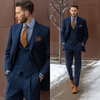
Direct answer
Professional Style turns an uploaded photo into a polished ClearCrowds edit using the selected Style & Aesthetics preset.
Workflow
Start with a clear photo where the main subject, face, outline, and important details are visible at a useful size.
Professional Style applies the selected look while keeping the recognizable subject, composition, and core identity cues from the uploaded photo.
Check the face, hands, hairline, subject edges, clothing, and background for unwanted changes before saving or sharing the result.
Use cases
Try it
ClearCrowds passes the preset into the editor so the workflow is ready when your photo opens.
This preset is already selected.
Frequently asked questions
Professional Style is a ClearCrowds preset in the Style & Aesthetics category.
Yes. Upload a photo and ClearCrowds opens the editor with this preset selected.