
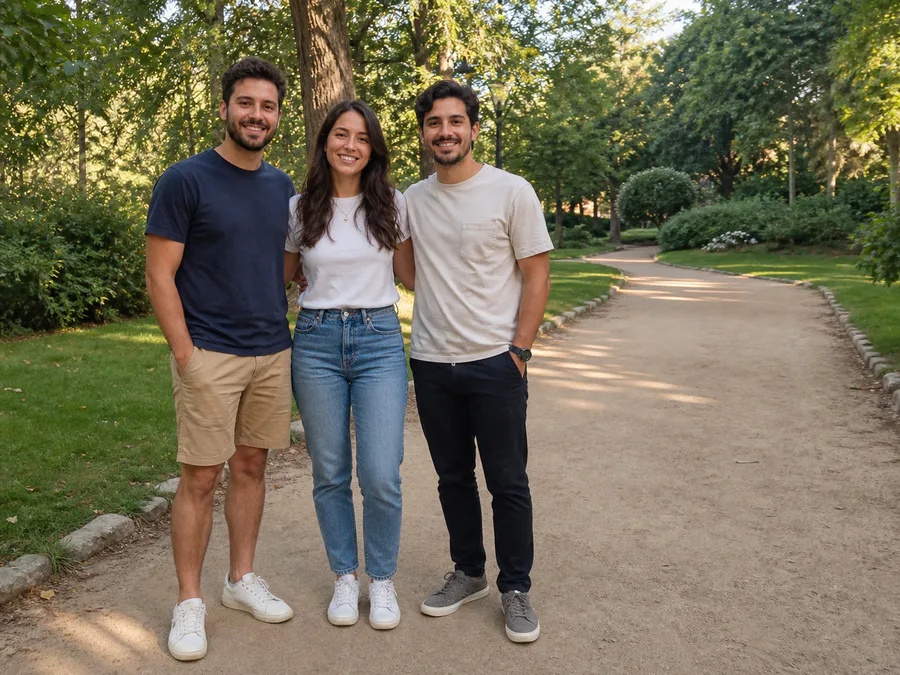
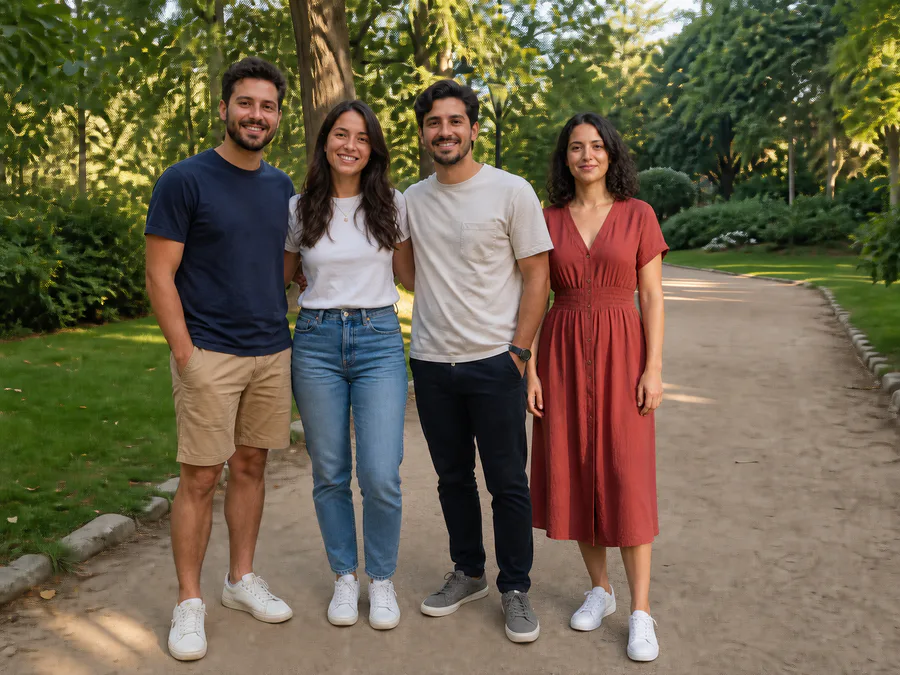
Add a specific person from another photo
Add Someone combines a base picture with one separate photo of the person you want to include. Upload the group or scene photo first, open Add Someone, then upload one clear reference image. The edit is designed for casual family pictures, group photos, travel scenes, team photos, and creative images that you own or have permission to change.
Choose compatible source photos
Use a reference taken from a similar camera height and light direction. A clear three-quarter or full-body photo usually gives the edit more real information than a tightly cropped face. Leave enough open space in the base picture for a believable placement. If the pose, perspective, or visible body coverage is very different, choose another reference instead of forcing the result.
Review before downloading
Compare the result with both originals. Check that the added person still looks recognizable, appears at the right scale, follows the group eye line, touches the ground or nearby surface naturally, and has matching light, shadow, color, sharpness, and grain. Inspect hair, hands, clothing edges, and any overlap with existing people. Reject a result that changes identity, adds a duplicate, alters the original group, or creates impossible anatomy.
Responsible use
Use only permissioned photos. A composite creates a new image and should not be presented as documentary proof that someone attended an event. For legal, journalistic, medical, financial, official, identity-sensitive, or evidentiary uses, keep the unedited original and use a real photo or reshoot instead.