What is Emoji & Stickers?
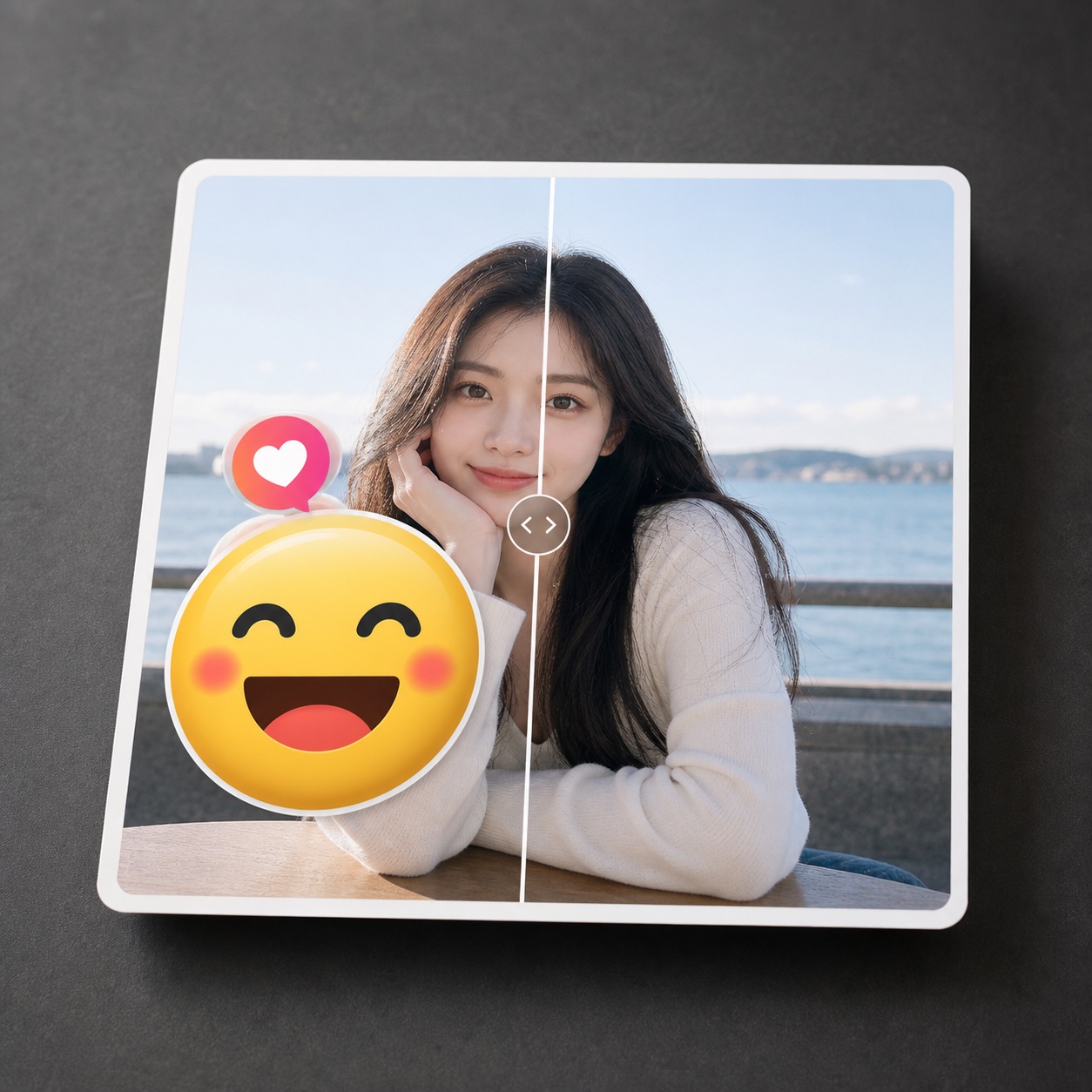
Emoji & Stickers is an AI photo cleanup preset for removing visible emoji overlays, stickers, reaction icons, decorative graphics, and social app marks from a photo while keeping the real image underneath as natural as possible.
Use it when a sticker or emoji distracts from an otherwise useful photo, product shot, profile image, travel photo, listing image, or social post. The preset gives ClearCrowds a focused instruction: remove the digital overlay only, rebuild the covered area from nearby visual context, and preserve the rest of the photo.
When should you use Emoji & Stickers?
Use this preset for small graphic overlays such as smiley emojis, reaction stickers, app stickers, doodle-like graphics, decorative labels, and other non-photographic marks that sit on top of the image.
It is not meant to reveal hidden private information. If an emoji or sticker was added to protect someone's face, identity, address, license plate, account name, or other sensitive detail, only remove it when you own the image and have consent. ClearCrowds reconstructs a plausible covered area; it cannot recover the exact original pixels under the sticker.
How to remove emojis and stickers from a photo
- Upload the clearest copy of the photo.
- Choose Emoji & Stickers.
- Select or describe only the emoji, sticker, or graphic overlay you want removed.
- Generate one cleanup pass.
- Review the rebuilt area closely before downloading or sharing.
Small selections work best. If you select too much of the surrounding photo, the model has more freedom to change real details that should stay untouched.
What photos work best?
Emoji & Stickers works best when the overlay is small, the surrounding background is visible, and the hidden area can be inferred from nearby texture, lighting, and shapes. It usually handles clear sky, walls, clothing, simple product surfaces, tables, floors, and small face-edge cleanup better than large stickers covering important details.
It can struggle when the sticker covers both eyes, a full mouth, a whole face, important product text, legal information, or a complex pattern. In those cases, treat the output as a reconstruction and review it conservatively.
FAQ
Can AI remove an emoji from a photo?
Yes. Upload the photo, choose Emoji & Stickers, and ClearCrowds will remove the visible emoji overlay while trying to rebuild the covered area naturally.
Can it remove stickers from social media photos?
Yes, if you own the image or have permission to edit it. The preset is built for stickers, reaction icons, decorative graphics, and similar overlay marks.
Can it reveal the real face under an emoji?
No. It cannot recover the exact hidden pixels. It can only reconstruct a plausible area from the visible parts of the image, so face edits need careful review and consent.
Is this different from Remove Text?
Yes. Use Remove Text for readable words, dates, labels, and numbers. Use Emoji & Stickers for graphic overlays, reaction marks, and decorative sticker elements.