افتح الصورة الداكنة من دون تغيير المشهد

ارفع الظلال وحسّن الرؤية مع الحفاظ على العنصر والألوان والقص واتجاه الإضاءة الطبيعي.

  • Lift underexposed areas
  • Keep the original colors
  • Protect the composition

ارفع صورة داكنة لتفتيحها

JPG, PNG, or WebP. Brightness correction opens automatically.
اختر صورة
Original keptTool selectedNatural colors preserved
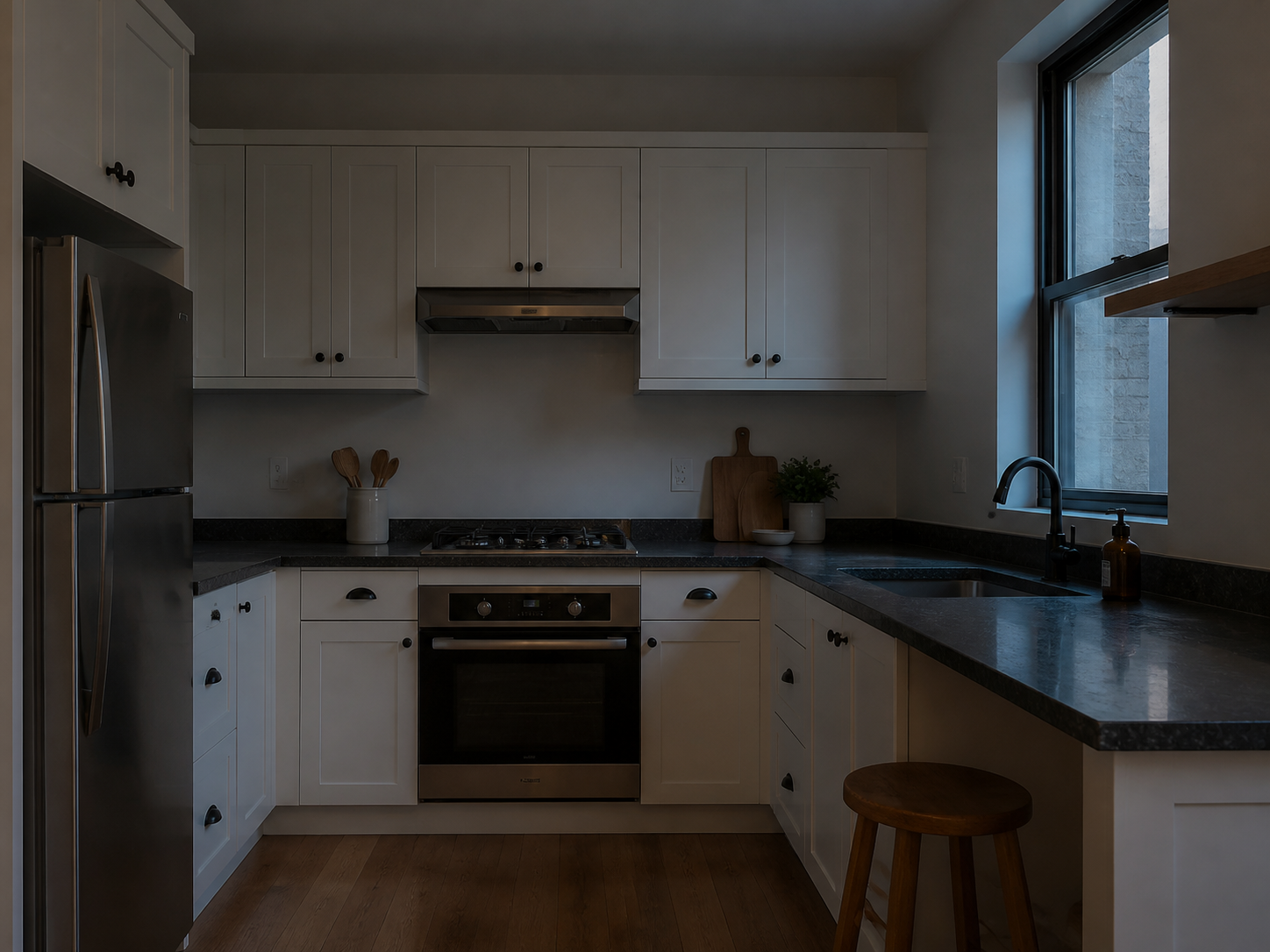
Underexposed kitchen photo before brightness correction
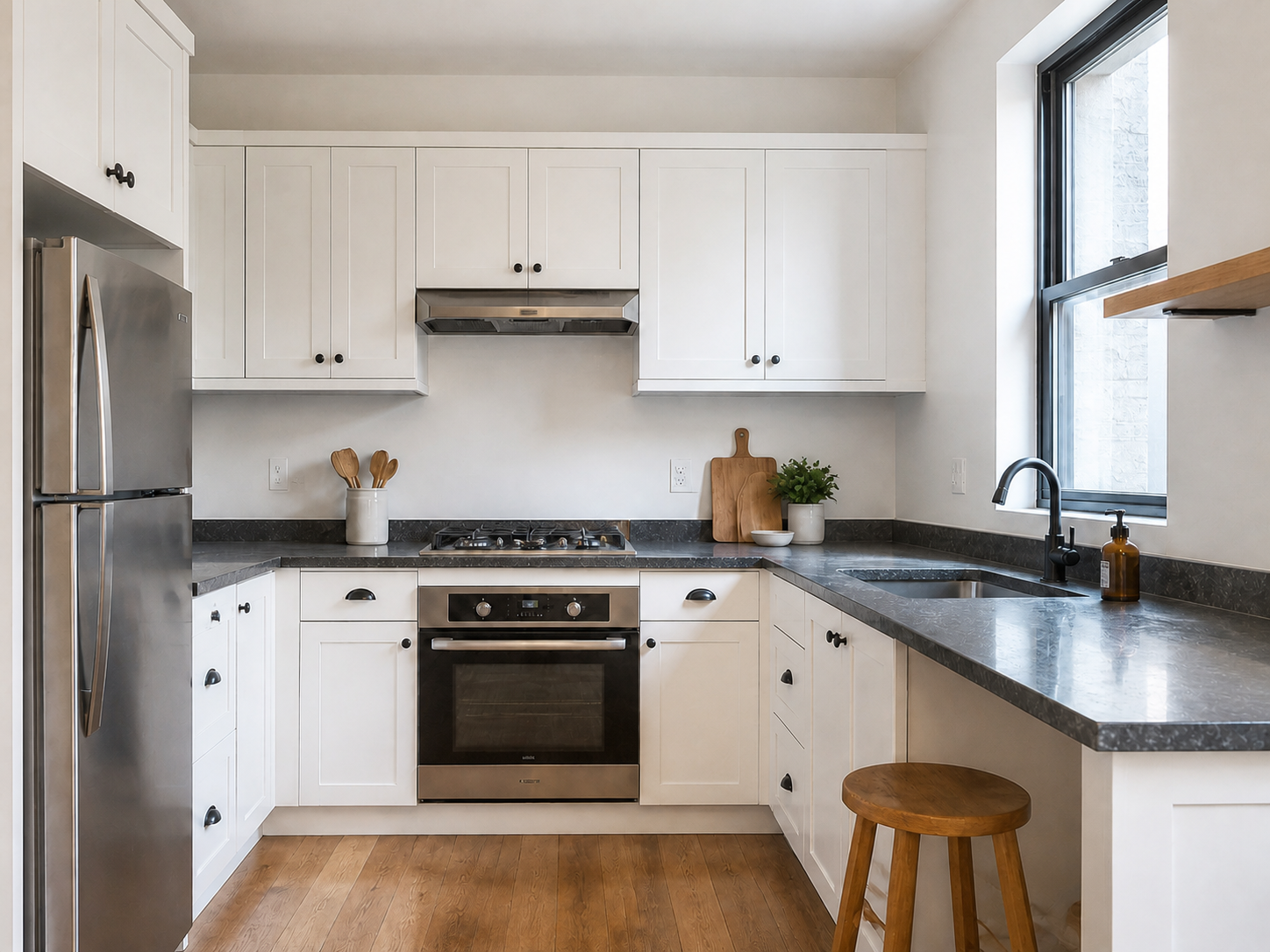
The same kitchen photo with natural exposure and shadow detail restored
BeforeAfter

More visible detail, same photo

Image Brightener is a focused exposure correction. It raises dark areas without turning the scene into a new style or adding objects that were not photographed.

Lift underexposed areas
Open dark cabinets, rooms, faces, and foreground detail so the original photo is easier to inspect.
Keep the original colors
Preserve the existing color palette and white balance instead of applying a heavy warm or cool filter.
Protect the composition
The crop, perspective, objects, text, and subject should remain in the same place.
Keep highlights natural
Brightening is not a license to blow out windows or flatten every shadow; compare the result at normal size.

Brighten an image in three steps

Start with the clearest original file so the editor can work with the existing detail.

  1. 1

    Upload the dark photo

    Choose a photo that is too dim but still contains visible texture and color.

  2. 2

    Run brightness correction

    The selected Image Brightener gently raises exposure and underexposed shadow areas.

  3. 3

    Review the light

    Check faces, windows, surfaces, colors, and shadow detail before exporting the result.

Photos that need a clearer read

Use a focused brightness correction when an otherwise useful photo is too dark to share, list, or review.

Property listings

Make a dim room easier to evaluate while retaining the actual layout and materials.

Indoor portraits

Lift a shadowy face or background without changing identity, expression, or skin texture.

Product photos

Reveal detail on a dark tabletop or package while keeping its shape, colors, and labels intact.

Everyday snapshots

Recover visibility in a restaurant, room, or evening scene before you continue editing.

Brightness correction cannot recover missing detail

The preset adjusts visible pixels. It cannot reliably reconstruct highlights that were clipped or detail that was never captured.

  • Very dark, heavily compressed, or motion-blurred images may still look soft after brightening.
  • Blown highlights and pure black areas may not contain enough information to restore.
  • Use the separate Enhance or resolution workflow when the photo also needs sharpening or enlargement.

Image brightener FAQ

Practical answers about underexposed photos, color, and what the tool preserves.

Yes. Upload a dark or underexposed photo and ClearCrowds opens the Image Brightener workflow so you can review the exposure correction.

استعد الضوء وتابع التعديل

ارفع صورة داكنة لبدء مسار تفتيح الصورة.

ارفع صورة داكنة لتفتيحها

JPG, PNG, or WebP. Brightness correction opens automatically.
اختر صورة
Original keptTool selectedNatural colors preserved