饰品配件

移除 眼镜

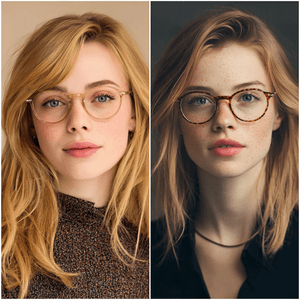
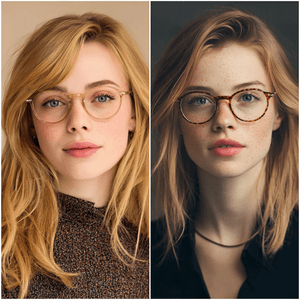
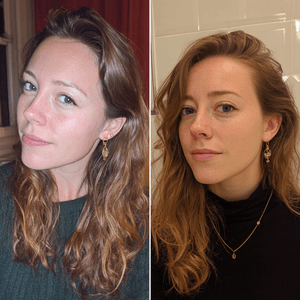
Use Remove Glasses when a portrait, selfie, profile photo, or headshot should show the person without eyewear while keeping the face natural.

眼镜 preset preview

What is Remove Glasses?

Remove Glasses is an AI portrait editing preset for removing eyeglasses or sunglasses from a photo while keeping the person recognizable. It is useful when a profile photo, dating photo, creator portrait, headshot, or casual image would look better without eyewear.

The preset asks ClearCrowds to preserve face shape, skin texture, hairstyle, expression, lighting, and camera angle. It should remove the frames and lenses, then rebuild the small areas around the eyes and nose naturally.

Remove Glasses vs Remove Glare

Use Remove Glasses when the eyewear should disappear. Use Remove Glare when the glasses should stay and only bright reflections, white streaks, or flash spots should be reduced.

That distinction matters because the two edits have different goals. Removing eyewear requires reconstructing hidden facial areas. Removing glare tries to keep the frames and lenses visible while cleaning the reflection.

Tips for better portraits

Choose a clear portrait where the face is well lit and the glasses do not completely hide the eyes. Sunglasses with dark lenses are more difficult than transparent eyeglasses because less eye detail is visible. For important headshots, review the output closely and run another pass if the eye area needs refinement.

Use cases

Where 眼镜 works best

Remove glasses from a profile photo

Clean sunglasses from a portrait

Test a no-glasses look before posting

Prepare a cleaner headshot or dating photo

Try it

Upload a photo with 眼镜 selected

ClearCrowds passes the preset id into the editor, so this workflow is ready as soon as the photo opens.

Upload a photo

Pick a style first.

JPG, PNG, WebP

Doodle preset

Browser uploadPreset selected