What is Remove Glare?
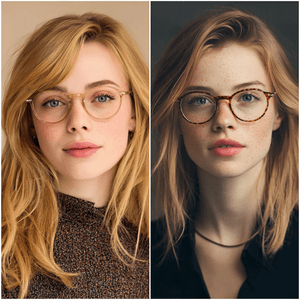
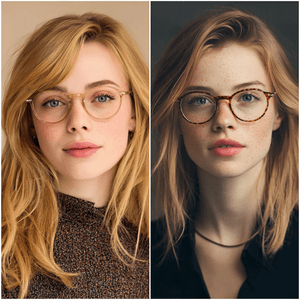
Remove Glare is an AI photo cleanup preset for reducing bright glare, lens reflections, flash hotspots, and white streaks on eyeglasses while preserving the face, eyes, frame shape, and natural lighting.
It is made for portrait photos where the glasses are still part of the look, but the reflection on the lenses hides the eyes or distracts from the photo. Use it for profile pictures, ID-style portraits, team photos, family photos, dating profile photos, creator headshots, and casual selfies with visible eyeglass glare.
Remove Glare vs Remove Reflection
Use Remove Glare when the problem is on eyeglass lenses in a portrait. The preset focuses on keeping the person, eyes, skin, glasses frames, lens edges, and facial details unchanged.
Use Remove Reflection when the problem comes from glass, windows, plastic sleeves, glossy product packaging, display cases, or other reflective surfaces that are not mainly eyeglasses.
Strong keyword fit
This preset is built around searches such as remove glare from glasses, remove glasses glare from photo, remove glare from photo, glasses glare remover, and remove reflection from glasses.
Tips for better results
Upload a portrait where the eyes are at least partly visible under the glare. If a white reflection completely covers an eye, the AI has less real detail to preserve.
Keep the whole face and glasses frame visible. Cropping off the frame makes it harder to keep the lenses and face natural.
Do not ask the same pass to remove the glasses entirely. If you want no glasses, use the Remove Glasses preset instead.
FAQ
How do I remove glare from a photo online?
Upload the photo, choose Remove Glare, review the reflection area, and download the cleaned result when the lens, face, and lighting still look natural. ClearCrowds works best when some real detail is still visible under the glare.
Can AI remove eyeglass glare?
Yes. This preset is specifically written for eyeglass lens glare, flash reflections, screen reflections, and bright white streaks on glasses while keeping the eyes, frame shape, and face recognizable.
Can I remove glare from an iPhone photo?
Yes. If the portrait was taken on an iPhone or another phone, upload the original photo and use Remove Glare. A sharper source image with the full glasses frame visible usually gives the best result.
What if the glare is completely white?
If the glare completely hides an eye or lens detail, the AI has less real information to preserve. The result may still improve the photo, but a less overexposed source image or another angle will usually work better.
Will it remove the glasses?
No. The preset asks the AI to keep the glasses frame and lens edges while reducing only the unwanted glare.
Is this for window or plastic reflection?
Not primarily. For plastic sleeves, windows, display glass, or product packaging, use Remove Reflection instead.