Respuesta directa
¿Qué es Niebla?
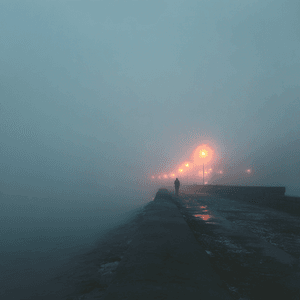
Niebla convierte una foto subida en una edición pulida de ClearCrowds usando el preset de Condiciones Climáticas seleccionado.
Condiciones Climáticas
Usa Niebla cuando quieras una edición rápida de condiciones climáticas sin montar el flujo de trabajo a mano.
Este preset ya está seleccionado.
Respuesta directa
Niebla convierte una foto subida en una edición pulida de ClearCrowds usando el preset de Condiciones Climáticas seleccionado.
Flujo de trabajo
Elige una foto con el área objetivo visible y suficiente contexto de bordes, escala, luz y perspectiva para integrarla de forma natural.
Niebla cambia o añade el elemento solicitado y conserva el sujeto, la composición, el recorte y los detalles no relacionados.
Comprueba escala, alineación, perspectiva, sombras de contacto, reflejos y bordes. El elemento nuevo debe pertenecer a la escena original.
Casos de uso
Pruébalo
ClearCrowds lleva este preset al editor para que el flujo esté listo al abrir la foto.
Este preset ya está seleccionado.
Preguntas frecuentes
Niebla es un preset de ClearCrowds en la categoría Condiciones Climáticas.
Sí. Sube una foto y ClearCrowds abrirá el editor con este preset seleccionado.