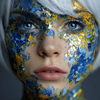
Beauty Effects

Handsome Man

Use Handsome Man when you want a quick beauty effects edit without setting up the workflow by hand.

Upload a photo

This preset is already selected.

Upload
Handsome Man preset preview

Direct answer

What is Handsome Man?

Handsome Man turns an uploaded photo into a polished ClearCrowds edit using the selected Beauty Effects preset.

Workflow

How to use Handsome Man

Choose a suitable photo

Pick a photo where the target area is visible and nearby edges, scale, lighting, and perspective provide enough context for a natural edit.

Apply Handsome Man

Handsome Man changes or adds the requested element while asking ClearCrowds to preserve the subject, layout, crop, and unrelated details.

Review the result

Check scale, alignment, perspective, contact shadows, reflections, and edge blending. The new element should belong in the original scene.

Use cases

Where Handsome Man works best

Fast photo edits

Product workflows

Creator visuals

Before-and-after tests

Try it

Upload a photo with Handsome Man selected

ClearCrowds passes the preset into the editor so the workflow is ready when your photo opens.

Upload a photo

This preset is already selected.

Upload

Frequently asked questions

Frequently asked questions

What is Handsome Man?

Handsome Man is a ClearCrowds preset in the Beauty Effects category.

Can I try it with my own photo?

Yes. Upload a photo and ClearCrowds opens the editor with this preset selected.