物体・雑然

削除 人混み

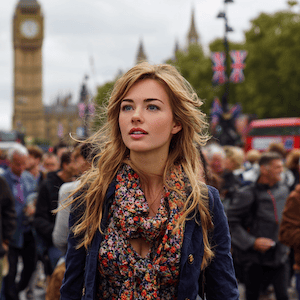
Use Remove Crowds when a travel, street, event, landmark, or listing photo has unwanted people in the background and you want a cleaner scene.

人混み preset preview

What is Remove Crowds?

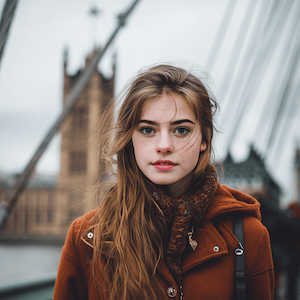
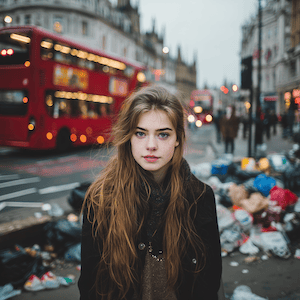
Remove Crowds is an AI photo cleanup preset for removing unwanted people from busy images. It is designed for travel photos, public spaces, landmarks, events, real estate entrances, and lifestyle shots where the place or main subject is valuable but background people make the photo hard to use.

The goal is not to replace the entire scene. ClearCrowds asks the editor to keep the original perspective, lighting, architecture, ground texture, signs, sky, and main subject while removing tourists, photobombers, or scattered background figures.

Best use cases

Use Remove Crowds when you have a strong photo that feels too busy to post or publish. A landmark photo may have tourists crossing the frame. A street photo may include people who distract from the building. A listing image may show passersby near an entrance. A creator photo may have people behind the subject.

This preset works best when there is enough visible background around the people being removed. If a crowd fully covers an important monument, product, or face, the AI has less context to rebuild the hidden detail.

Tips for cleaner edits

Upload the highest resolution version you have. Clear edges, natural light, and visible surrounding texture give the AI more context. If several people are close to the main subject, review the result before publishing. For very dense scenes, run one broad cleanup pass and then use a more targeted edit for any remaining distractions.

Remove Crowds is strongest when the desired output is a natural photo, not a heavily stylized image. If the photo needs privacy protection instead of removal, choose Blur Faces or Privacy Blur.

Use cases

Where 人混み works best

Remove tourists from a landmark photo

Clean photobombers from a travel shot

Make a public space photo feel less crowded

Prepare a cleaner social or listing image

Try it

Upload a photo with 人混み selected

ClearCrowds passes the preset id into the editor, so this workflow is ready as soon as the photo opens.

Upload a photo

Pick a style first.

JPG, PNG, WebP

Doodle preset

Browser uploadPreset selected