
How to Declutter a Messy Airbnb Photo Without Misleading Guests
Direct answer
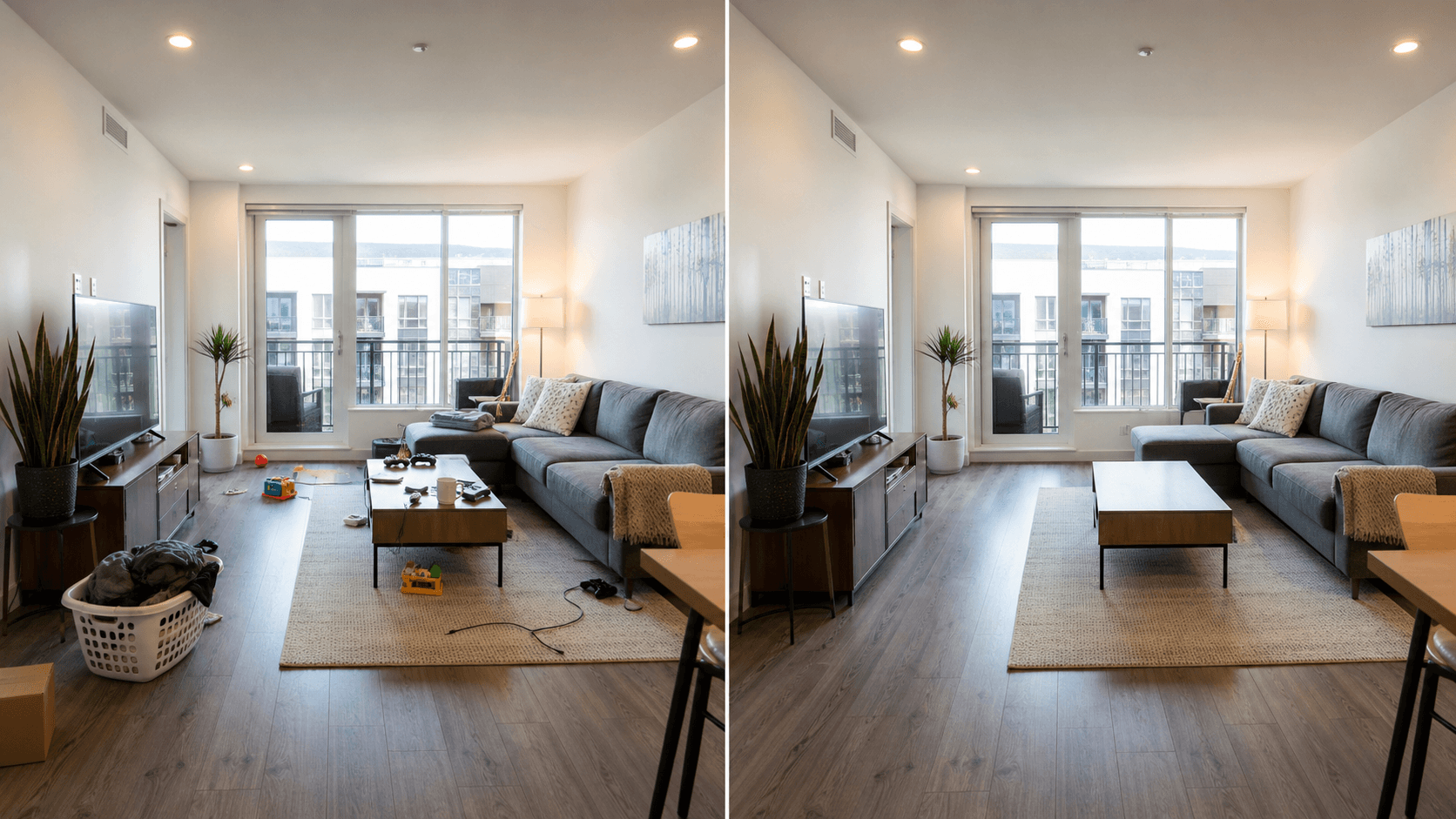
You can declutter a messy Airbnb photo when the edit removes temporary distractions, not real property conditions. Good examples are loose cables, laundry, a trash bag, toiletries, a stray suitcase, food packaging, or a personal item left on a counter. The room should still look like the same room a guest will arrive to.
Do not remove damage, stains, blocked views, safety issues, broken fixtures, missing amenities, or anything that would change a guest's decision. If the edit makes the rental look better than the real experience, use a different photo or reshoot instead.
Start with the Real Estate Declutter feature when you want a listing-safe overview, or open the Room Declutter preset when the job is one room photo with small clutter.
Try this task in ClearCrowds
Clean one rental photo carefully
Upload a room photo and start with a preset built for loose clutter, cables, bags, toiletries, and temporary listing distractions.
- Listing-safe cleanup
- Small selections
- Room lines preserved
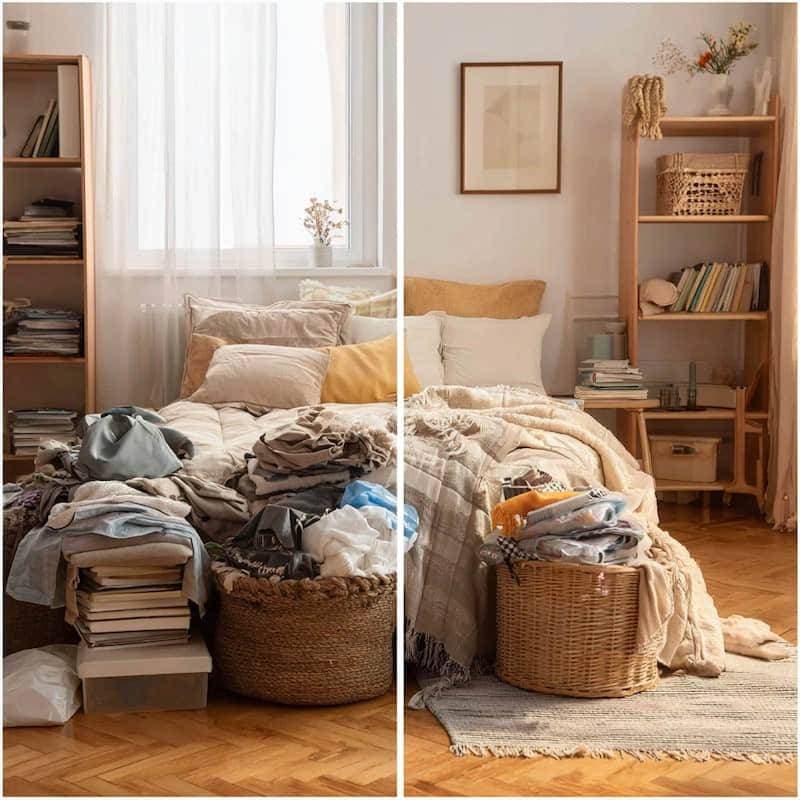
The common situation is not a studio-perfect listing shoot. It is a host, agent, or property manager who has one useful photo of the living room, bedroom, kitchen, or bathroom, but the frame includes small mess from staging or turnover day.
Maybe there is a charger on the nightstand, a towel on the floor, a grocery bag near the kitchen island, or a reflection of the photographer in the window. Those are normal cleanup jobs. Guests are not choosing the property because of a charger or a bag, so removing them can make the photo easier to read.
The line is crossed when the edit changes what guests should know about the stay. A stained carpet, cracked tile, broken blind, blocked window view, exposed cable hazard, or missing appliance is not temporary clutter.
What you can usually remove
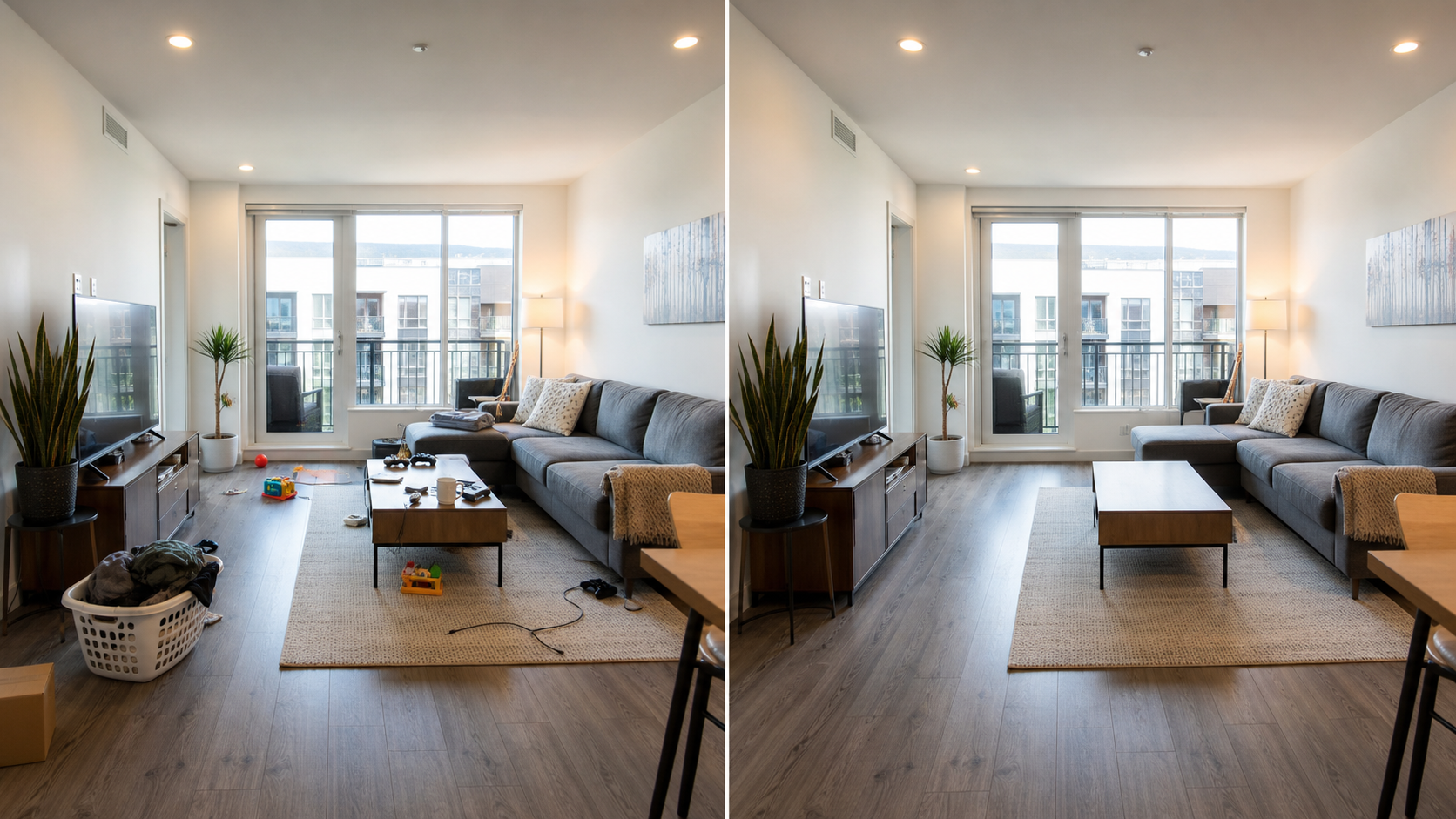
Use AI cleanup for things that would naturally be gone before check-in:
- Loose charging cables, remote controls, or small electronics.
- Laundry, towels, hangers, shoes, or bags.
- Food packaging, cups, plates, or toiletries.
- Cleaning supplies, trash bins, or turnover items.
- Photographer reflections in mirrors or glass.
- Small visual noise near the bed, sofa, kitchen island, or bathroom vanity.
Keep the selection small. Instead of painting half the room, remove one object cluster, review the result, then move to the next cluster.
What you should not remove from a rental photo
Do not remove anything that changes the guest's expectation of the property:
- Stains, damage, cracks, leaks, mold, or broken fixtures.
- Safety issues such as loose wires, missing railings, blocked exits, or exposed hazards.
- Permanent furniture, appliances, doors, windows, views, or room layout.
- Required disclosures, building notices, accessibility limits, or platform-policy details.
- Real neighborhood context that matters to the stay.
If the unedited photo would make a guest ask a fair question, do not hide that fact with cleanup. Fix the room, reshoot it, or disclose the issue.
A safe AI workflow for rental listings
Use this practical workflow:
- Start with the original listing photo, not a screenshot from a booking platform.
- Crop and straighten the photo before cleanup.
- List what is temporary clutter and what is a real property condition.
- Select only one small clutter cluster at a time.
- Generate one cleanup pass.
- Check straight lines, flooring, shadows, and reflections at full size.
- Compare the result with the original photo.
- Save the cleaned photo only if it still represents the room honestly.
Interior photos are easy to break because they contain straight walls, cabinet edges, tile lines, baseboards, blinds, and repeated textures. If those details look warped, reduce the selection size or reshoot.
AI cleanup vs reshooting
AI cleanup is helpful when the room is fundamentally accurate but visually messy. Reshooting is better when the scene itself is not ready.
| Situation | Better move | Why |
|---|---|---|
| A cable on a nightstand | AI cleanup | Temporary, small, low risk |
| A towel on the bathroom floor | AI cleanup | The bathroom condition is unchanged |
| A messy kitchen with bags everywhere | Stage and reshoot | Large edits can look fake |
| A damaged wall or stained carpet | Fix, disclose, or reshoot | Guests need the truth |
| A bad angle that makes a room look larger | Reshoot | Cleanup cannot solve misleading perspective |
How to review the finished image
Before publishing a cleaned rental photo, zoom in and check:
- Do baseboards, cabinet lines, tile, and floorboards still line up?
- Do shadows make sense after the object is gone?
- Do mirrors and windows reflect the remaining room naturally?
- Did the edit change the apparent size, condition, or amenities?
- Would a guest feel tricked if they saw the original?
For a broader editing policy, read Real Estate Photo Cleanup. For general object cleanup, use Remove Object From Photo. If the issue is a person in the frame, see Remove People From Photo Online.
Frequently Asked Questions
Can I remove clutter from Airbnb photos?
Yes, if the clutter is temporary and would not be present for the guest. Keep edits small and avoid changing property condition, amenities, layout, or view.
Can I remove damage from a rental listing photo?
No. Damage, stains, broken fixtures, safety issues, and missing amenities are material details. Fix the issue, disclose it, or use another honest photo.
Is AI decluttering allowed for real estate photos?
It depends on the platform, market, and use case. A conservative rule is simple: remove distractions, not facts. If an edit could influence a purchase, rental, or booking decision, keep it visible or disclose it.
What room photos work best?
Bright, straight, high-resolution images work best. AI cleanup is easier when the clutter sits on simple floors, walls, bedding, counters, or tabletops.
Should I use Photoshop instead?
Use Photoshop when the clutter crosses complicated tile, blinds, reflections, or fine furniture details. Use AI first for small, isolated clutter where speed matters and the room remains truthful.
Summary
Decluttering an Airbnb photo is useful when it makes a real room easier to evaluate. Remove temporary mess, keep permanent conditions visible, and review the result at full size. The goal is a cleaner listing photo, not a different property.